
Digital Camera Basic Operating Instructions


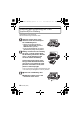

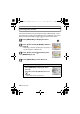

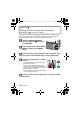
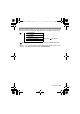
Table Of Contents
- CONTENTS
- Information for Your Safety
- Standard Accessories
- Names of the Components
- Charging the Battery
- About the Built-in Memory/the Card
- Inserting and Removing the Card (optional)/the Battery
- Setting Date/Time (Clock Set)
- Setting the Menu
- Selecting the [REC] Mode
- Taking pictures using the automatic function
- Motion Picture Mode
- Playing back Pictures
- Deleting Pictures
- Reading the Operating Instructions (PDF format)
- Specifications
- Digital Camera Accessory System
- Digital Camera Accessory Order Form
- Limited Warranty (ONLY FOR U.S.A. AND PUERTO RICO)

VQT2R80 (ENG)
16
Setting the Menu
This section describes how to select the Normal Picture Mode settings, and the
same setting can be used for the [PLAYBACK] menu and [SETUP] menu as well.
Example: Setting [AF MODE] from [
Ø] to [š] in the Normal Picture Mode
Press [MENU/SET] to display the menu.
Press 3/4 to select [AF MODE], and then
press 1.
• Depending on the item, its setting may not appear or it
may be displayed in a different way.
Press 3/4 to select [š] and then press
[MENU/SET] to set.
Press [MENU/SET] to close the menu.
Switching to other menus
e.g.: Switching to the [SETUP] menu
1 Press [MENU/SET] to display the menu.
2 Press 2.
3 Press 4 to select the [SETUP] menu icon
[].
4 Press 1.
•
Select a menu item next and set it.
DMC-F3Basic-VQTXXXX_eng.book 16 ページ 2010年1月9日 土曜日 午後2時2分