
Basic Operating Instructions

About Operating Instructions
DVQX1944 (ENG)
6
0 For information about operation methods of the operation part, refer to page 46.
0 Other symbols, such as icons shown on the camera screen, are also used in
explanations.
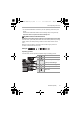
0 This document describes the procedure for selecting menu items as follows:
Example) Set [Picture Quality] of the [Photo] ([Image Quality]) menu to [STD.].
For information about menu operation methods, refer to page 55.
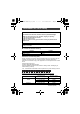
Notification classification symbols
In this document, notifications are classified and described using the following
symbols:
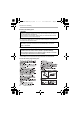
0 This document provides an explanation with the assumption that menu settings are
in the default settings.
Furthermore, illustrations of screens used assume the following settings.
– [Style] ([Clock Set]): [Y.M.D]/[24hrs]
0 Description in this document is based on the interchangeable lens (S-R24105:
optional).
¨ [ ] ¨ [ ] ¨ [Picture Quality] ¨ Select [STD.]
To confirm prior to using the function
Hints for better use of the camera and tips for recording
Notifications and supplementary items regarding specifications
Related information and page number
DC-S1HMST-DVQX1944_eng.book 6 ページ 2019年8月8日 木曜日 午前11時30分