
User manual




49
Problem Solving
1
2
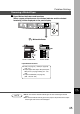
# Pull the paper tray out.
$ Remove the misfed paper.
% Return the Paper Tray to the original
position.
# Open the Feed Cover.
$ Remove the misfed paper.
% Close the Feed Cover.
■ Paper Feed Module
C Make sure that the misfeed indicator
goes off after removing all misfed
paper.
C Make sure that the misfeed indicator goes off after removing all misfed
paper.
ATTENTION
For DP-1510P/1810P
For DP-2010E
I