
User manual




48
Problem Solving
1
2
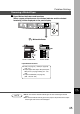
Open the Right Cover.
Remove the misfed paper.
■
ADU Area (For DP-2010E only)
C Make sure that the misfeed indicator
goes off after removing all misfed
paper.
Removing a Misfed Paper
3
If copy paper is fed far into the copier;
# Turn the right paper clearing knob.
4
Close the Right Cover.
$ Remove the misfed paper.