
User manual




13
■■
■■
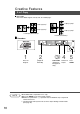
■ Copying with Preset Ratios
Basic Copy
100 87 71 50
115 100 82 58
141 122 100 71
200 173 141 100
Reduction or Enlargement Copying
RESET
Making Copies
1
Place the
Original
2
Select the
ORIGINAL SIZE
3
Select the COPY
SIZE
4
Number of
Copies
C If the desired copy size is different from the paper size loaded in the paper
tray, use the sheet bypass. (See page 15)
C Press the RESET key to cancel all job settings.
5
Press
START
Example: Reduction
Original size Copy size
A3 A4
The correct ratio is automatically selected.
Reduction and enlargement ratios (%)
Original
Size
Copy Size
A3 B4 A4 A5
A3
B4
A4
A5
C When changing the paper tray, press the
Paper Tray key.
NOTE
A3
->A4
B
[A4
B
]
ZOOM: 71% COPIES:001