Digital Imaging System User's Manual Model No. DP-8060 / 8045 / 8035
Manuals
Brands
Panasonic Manuals
Fax Machine
8045
111
112
113
114
115
116
117
118
119
120
113
Advanced
Facsimile Features
2
3
5
8
6
Scroll
or
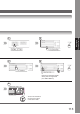
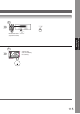
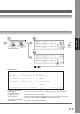
Enter the Fax Parameter number
directly from the keypad and
press
Set
or
Start
key
.
•
T
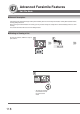
o return the machine to
the initial screen of the
current active mode.
4
7
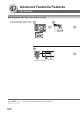
Department Code is set.
1
...
...
111
112
113
114
115
...
...
196