
User's Manual Part 3




339
Other Convenient Functions
2
Select a date.
The Schedule List for the selected
date is displayed.
3
Select a schedule event, holiday, or anniversary.
Schedule List
Detailed Schedule display
Information
p
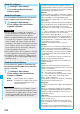
National holidays on the calendar are conformance with
“Law on National Holidays and the partially amended
version of the Elder Law” (up to 2005, No.43). Spring
Equinox Day and Autumn Equinox Day are announced on
the official gazette of February 1 in the previous year,
therefore, they may differ from the days on the calendar.
(As of October 2007)
Function Menu of the Calendar Display
Function menu
Operation/Explanation
New
Select an item.
Schedule
. . . . . . Go to step 1 on page 337.
Holiday
. . . . . . . Go to step 1 of “Store
Holidays/Anniversaries” on
page 338.
Anniversary
. . . Go to step 1 of “Store
Holidays/Anniversaries” on
page 338.
Monthly display/
Weekly display
You can switch the Calendar displays.
Monthly display or Weekly display
Icon display
Select an icon to be displayed.
The Schedule Event List for the selected icon
is displayed.
p
Select a schedule event to display the details.
No. of
schedules
You can display the number of schedule
events, holidays, and anniversaries. You can
display the number of the schedule events
stored as secret data during Secret Mode or
Secret Data Only.
Add desktop
icon
See page 114.
Send all Ir data
See page 305.
All
transmission
See page 307.
Delete past
You can delete the schedule events, holidays
or anniversaries stored for up to a preceding
day of the selected day.
Select an item to be deleted
YES
Delete all
You can delete all the schedule events,
holidays or anniversaries.
Enter your Terminal Security Code
Select an item to be deleted
YES
p
When you delete all holidays, the setting for
national holidays will be reset.
Reset holiday
You can restore the national holidays you
deleted to its default. You cannot reset the
holidays you have set.
YES
Information
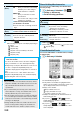
<Icon display>
p
On the Icon display, the schedule set with repetition is
displayed as a single event. For the date, the nearest date
of the schedule event is displayed.
Function Menu of the Schedule List/Detailed
Schedule Display
Function menu
Operation/Explanation
Function menu
Operation/Explanation
New
Select an item.
Schedule
. . . . . . Go to step 1 on page 337.
Holiday
. . . . . . . . Go to step 1 of “Store Holidays/
Anniversaries” on page 338.
Anniversary
. . . . Go to step 1 of “Store Holidays/
Anniversaries” on page 338.
p
You can store also by pressing
l
()
from the Schedule List.
Edit
Go to step 1 on page 337 for the schedule event.
Go to step 1 of “Store Holidays/Anniversaries” on
page 338 for the holiday and anniversary.
p
You can edit also by pressing
Oo
()
from the detailed Schedule display.
p
You cannot edit national holidays.
Copy
You can copy the schedule event, holiday or
anniversary and store it for another date.
Enter the date and time you are pasting to.
Go to step 1 on page 337 for the schedule event.
Go to step 1 of “Store Holidays/Anniversaries” on
page 338 for the holiday and anniversary.
p
Even if “Repeat” of the copy source is set to
“Daily/Select day/Monthly/Yearly”, the
pasted one is set to “1 time”.
p
You cannot copy national holidays.
Calendar
display
You can return to the Calendar display from
the Icon display. You can operate this only
when the Icon display is displayed.
Icon display
See page 339.
ᵡᶍᶌᶒᶇᶌᶓᶃᶂ