
User's Manual Part 3




336
Other Convenient Functions
2
Press
l
().
The following icon appears on the display depending on
the setting:
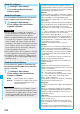
: Repeats daily.
: Repeats on the specified day of the week.
Function Menu while Alarm is displayed
Function menu
Operation/Explanation
Edit
Go to step 1 of “Using Alarm” on page 335.
Detail
You can display the stored alarm contents.
Set this
You can validate the stored alarm.
YES
p
You can validate also by pressing
Oo
().
Set all
You can validate all the stored alarm.
YES
Release this
You can invalidate the stored alarm.
YES
p
You can invalidate also by pressing
Oo
().
Release all
You can invalidate all the stored alarm.
YES
Information
p
If the alarm tone sounds during a call, press any key to stop
it. Once again press any key to end the alarm including
Snooze. If the other party on the phone hangs up, an alarm
including Snooze ends.
p
During a call, the alarm tone sounds at the level set for
“Volume” (earpiece volume).
p
If any of the following events occurs in Snooze state,
Snooze is released:
・
When you receive a voice call, videophone call, or
PushTalk call
・
When you receive a mail message or Message R/F while
“Receiving display” is set to “Alarm preferred”
・
When you receive a location provision request while
“Location request menu” or the setting by service is set to
other than “OFF”
・
When an alarm tone of “Schedule”, “ToDo”, “Book
program” or “Timer recording” sounds.
p
When you set the power to automatically turn on and an
alarm to sound, the default alarm tone sounds if the alarm
which is set with the UIM restrictions has been selected.
p
Turn off the FOMA phone after setting “Auto power ON” to
“OFF” when you are near electronic devices using high-
precision control or weak signals, or where the use is
prohibited such as in airplanes and hospitals.
■
When you set an alarm for “Alarm”, “Schedule”, and
“ToDo”
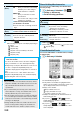
The icon appears on the desktop.
“ ” . . . Displayed when an alarm is set for today (except
the setting for past time).
“ ” . . . Displayed when an alarm is set for tomorrow or
onward only.
p
If you set “Display setting”
→
“Clock”
→
“Clock display” to
“OFF”, or set “Alarm” of the stored schedule event/ToDo
item to “OFF”, the icons are not displayed.
■
When the time specified for “Alarm”, “Schedule” or
“ToDo” comes
The alarm sounds for about five minutes (in the case of
“Alarm”, the alarm sounds for specified time), and
illumination lights. The vibrator works as you set for “Phone”
of “Vibrator”. The set alarm message and an animation or
i-motion movie linking to the selected icon appear on the
display.
p
If you set “Snooze” of “Alarm” to “ON”
The alarm sounds for about one minute at an interval of
five minutes, up to six times, until Snooze is released by
pressing
h
.
p
During a call
The alarm sounds from the earpiece three times
repeatedly.
p
During operations
The FOMA phone works according to the setting of “Alarm
setting”. (See page 341)
p
When you set an alarm to the time of another alarm
The alarm sounds in the following priority order of “Alarm”
→
“Book program”
→
“ToDo”
→
“Schedule”
→
“Timer
recording”. A missed schedule event or ToDo is notified by
the “Missed alarm” icon.
p
When the power is turned off
<Alarm>
When “Auto power ON” is set to “ON”, the power
automatically turns on to make an alarm notification sound.
When the auto-power setting is set to “OFF”, an alarm
does not sound with the power stayed off. Even after
turning the power on, the “Missed alarm” icon is not
displayed.
<Schedule/ToDo>
The alarm does not sound.
The “Missed alarm” icon is not displayed even after turning
the power on.
p
In Manner Mode
The vibrator works and illumination light notify you. For
Schedule/ToDo, a message is also displayed. The alarm
sounds at the volume set for Manner Mode. (See
page 103)