
User's Manual Part 3




335
Other Convenient Functions
1
m
Settings
Clock
Auto power ON/OFF
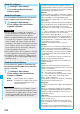
Auto power ON or Auto power OFF
Select an item.
OFF
. . . .Does not set Auto Power ON/OFF. The setting
is completed.
1 time
. . .Sets to turn on/off the power automatically at
the specified time only once.
Daily
. . . .Sets to turn on/off the power automatically at a
specified time everyday repeatedly.
2
Enter a time.
Auto Power ON/OFF
Turning Power On/Off
Automatically at a Specified Time
<>
Information
p
When you set “Auto power ON” and “Auto power OFF” to
the same time, and the specified time arrives, the FOMA
phone will turn on if it is turned off, and the FOMA phone will
turn off, if it is turned on.
p
When you set “Auto power OFF” to the same time of an
alarm or schedule alarm and others, the alarm or schedule
alarm preferentially works.
p
Even when you set “Auto power OFF”, the power does not
turn off at the specified time if other than the Stand-by
display is displayed. The power turns off after the function in
working is finished. When you set a Flash movie as the
Stand-by display, the power might not be turned off while
the Flash movie is moving.
p
Turn off the FOMA phone after setting “Auto power ON” to
“OFF” when you are near electronic devices using
high-precision control or weak signals, or where the use is
prohibited such as in airplanes and hospitals.
You can set Alarm to alert you at the specified time with
an alarm tone, animation and illumination. You can
store up to five alarms.
1
m
Stationery
Alarm
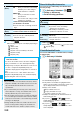
Highlight an alarm and press
l
()
Do the following operations.
+m-4-4
Alarm
Using Alarm
<>
Item Operation/Explanation
(Alarm)
You can set whether to validate or invalidate
the alarm.
ON or OFF
(Time)
Enter the time for sounding the alarm.
p
You cannot set the same time as the time
set for the stored alarm.
(Repeat)
Select a type of repeat.
p
If you select “1 time”, the alarm is not repeated.
p
If you select “Select day”, put a check mark
for days of the week to be set and press
l
().
(Alarm)
Select a type of alarm tone
Select a folder
Select an alarm tone.
(Volume)
Use
Bo
to adjust the volume.
p
If you set “Step”, the alarm tone is silent for
about three seconds, and then the volume
steps up every about three seconds, from
Level 1 through Level 6.
(Snooze)
You can set whether to activate Snooze. If
you set to “OFF”, set the duration that the
alarm tone is to continue sounding.
ON or OFF
Enter a ring time (minutes).
p
You can enter from “01” through “10” in two
digits.
p
See page 336 for how Snooze works.
(Auto power
ON)
You can set whether to turn on the power
automatically to make an alarm sound when
the alarm time arrives during power off.
ON or OFF
(Prefer
manner mode)
You can set the alarm tone which sounds at
the specified time during Manner Mode.
ON or OFF
ON
. . . . Sounds at the same volume as set
for “Alarm volume” on page 103.
OFF
. . . Sounds at the volume set for this
function.
ᵡᶍᶌᶒᶇᶌᶓᶃᶂ