
User's Manual Part 3






433
Appendix/External Devices/Troubleshooting
◎
Other points to note
p
Make sure not to modify the FOMA phone or its accessories.
・
Catching fire, giving injury, or causing malfunctions may result.
・
For the repair of devices that the modification is applied to, we accept it if you agree to have the modification reset. Further,
we might reject to repair depending on the conditions of the modification.
The following might be regarded as modifications:
・
To put stickers, etc. onto the liquid crystal display or keys
・
To decorate the FOMA phone using adhesives
・
To replace the coverings etc. with those of other than DoCoMo genuine
・
Repairs of troubles or malfunctions resulting from the modifications are charged even within the warranty period.
p
Do not peel the nameplate off the FOMA phone.
The nameplate is a certificate for ensuring the technological standard. If someone intentionally peel off the nameplate or
replace it, the contents described in the nameplate cannot be checked, as we cannot verify the conformity of the product to
the technical standard. Note that we may refuse repair for some malfunctions in this case.
p
The information such as function settings and Total Calls Duration, etc. might be reset depending on troubles or repairs, or
the way you handle the FOMA phone. Set the settings again.
p
The following parts of the FOMA phone uses the parts generating magnetic field: Note that if you put a card such as cash
card liable to be influenced by magnetic field close to it, the card might be adversely affected.
Using parts: speaker, earpiece
p
If the FOMA phone gets wet or becomes moist, immediately turn off the power and remove the battery pack; then visit a
repair counter. The FOMA phone may not be repaired depending on its condition.
◎
Memory dial (Phonebook function) and downloaded information
・
It is recommended to take a note of the information you have stored in the FOMA phone and keep it in a safe place. We are
not responsible for any change in or loss of information.
・
When replacing or repairing your FOMA phone, the data you created, obtained from external devices, or downloaded may be
changed or lost. We do not take any responsibility for the loss or change incurred to the data. We may replace your FOMA
phone with a new one instead of repairing, for our convenience sake. With this FOMA phone, we move the files including the
images and ring melodies downloaded to the FOMA phone or the files you created to the new FOMA phone so far as your
existing FOMA phone is troubled or repaired. (We cannot move some files. Also, some files might not be movable depending
on the degree of malfunction.)
※
It may take a while to move files, or it might occur that moving files is not possible depending on the memory size of the
files stored in the FOMA phone.
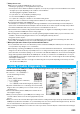
You can check on your FOMA phone whether sending/receiving mail messages, downloading images/melodies,
and others are normally working.
p
To connect to “
iモード故障診断サイト
(i-mode Trouble Diagnosis Site)”
i-mode site:
i
Menu
→お知らせ
(News)
→サービス・機能
(Services & Functions)
→iモード
(i-mode)
→iモード故障診断
(i-mode Trouble Diagnosis) (Japanese only)
p
A packet communication fee for connecting to the i-mode Trouble
Diagnosis Site is free. (When you access it from overseas, you are
charged the fee.)
p
The test items differ by model of FOMA phones. Further the test
items might be changed.
p
When you check operations of your FOMA phone according to each
test item, read the cautions on the site thoroughly and then perform
the test.
p
When you connect to the i-mode Trouble Diagnosis Site and test on sending mail messages, the proper information about your
FOMA phone (model name, mail address, etc.) is automatically sent to the server (i-mode Trouble Diagnosis Server). We never
use the sent information for other purposes than for the i-mode trouble diagnosis.
p
When you think your FOMA phone is in trouble as a result of your check, contact the “Repairs” counter listed on the back page
of this manual.
i-mode Trouble Diagnosis Site
Top display Test Menu List
QR code for
accessing the site