
User's Manual Part 2





225
Osaifu-Keitai/ToruCa
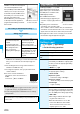
1
i
(for at least one second)
Select an
Osaifu-Keitai compatible i-
α
ppli program.
The Osaifu-Keitai compatible i-
α
ppli program starts up.
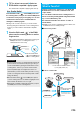
Place the FeliCa mark “ ” of the FOMA phone over
the scanning device, and you can use the FOMA phone
as electronic money to pay for shopping or to use it as
a traffic ticket. This function is available without
starting the software program.
p
During a call or i-mode connection, you can use Osaifu-
Keitai by placing the FeliCa mark over the scanning device,
however, you cannot start the Osaifu-Keitai compatible
i-
α
ppli.
1
Place the FeliCa mark “ ” of the FOMA
phone over the scanning device to use the
target service.
p
The Call/Charging indicator lights when you bring your
FOMA phone close to a scanning device and
communication becomes ready.
Use Osaifu-Keitai
Information
p
Mount the battery pack to use Osaifu-Keitai. Even when the
power is turned off or when the battery has gone flat, you
can use Osaifu-Keitai by placing the FeliCa mark over the
scanning device, however, you cannot start the Osaifu-
Keitai compatible i-
α
ppli. You might not be able to use
Osaifu-Keitai if you have left the battery unused for a long
period or not charged it after the low battery alarm sounds.
Charge the battery.
p
When the FeliCa mark “ ” of the FOMA phone placed
over the scanning device is not identified, slightly move the
mark forwards, backwards, to left, or to right.
p
Osaifu-Keitai compatible i-
α
ppli might start when you place
the FOMA phone over the scanning device.
Place the FeliCa mark
“ ” of the FOMA phone
over the scanning device.
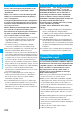
ToruCa is an electronic card that you can obtain with
Osaifu-Keitai for use as fliers, restaurant cards, and
coupon tickets.
You can obtain ToruCa files from scanning devices or
sites and can easily exchange them using mail, infrared
ray, or a microSD memory card.
The obtained ToruCa files are saved to “ToruCa” of
“Osaifu-Keitai”.
p
Available on the ToruCa compatible model. For details, refer
to “Mobile Phone User’s Guide [i-mode]”.
■
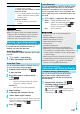
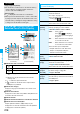
Flow for using ToruCa
■
Sources of ToruCa files
ToruCa
What is ToruCa?
<>
Place your Osaifu-Keitai over a scanning
device to obtain a ToruCa file.
You can view more detailed information
by using “
詳細
(Details)” key.
Scanning device
Site
i-
α
ppli
Exchanges ToruCa
files between i-mode
phones.
Mail,
infrared data exchange,
iC communication
QR code
External memory