
User's Manual Part 2





222
i-
α
ppli
You can set whether to permit communication for when
the i-
α
ppli Stand-by display is running.
1
Software List/IC Card List
i
()
Software setting
Stand-by net
ON or OFF
l
()
■
To operate an i-
α
ppli program as a normal i-
α
ppli
program when an i-
α
ppli Stand-by display is running
From the i-
α
ppli Stand-by display, press
r
.
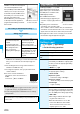
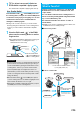
“ ” or “ ” changes to a blinking “ ” or “ ” and then
you can operate the i-
α
ppli program as a normal one.
p
To return to the i-
α
ppli Stand-by display, press and hold
r
for at least one second or press
h
; then select
“Ended”. To release the i-
α
ppli Stand-by display, select
“Terminated”, and select “YES”.
Information
p
If you turn off the FOMA phone while the i-
α
ppli Stand-by
display is running, the confirmation display appears asking
whether to start the i-
α
ppli program when you turn on the
power again.
p
You can set only one software program for the i-
α
ppli
Stand-by display.
p
Some i-
α
ppli programs cannot be set for the Stand-by display.
p
With some software programs set as the i-
α
ppli Stand-by
display, you can press a key to go from the normal i-
α
ppli
status to the i-
α
ppli Stand-by display status. However, you
cannot return to the i-
α
ppli Stand-by display if another menu
function is running.
p
Note that you might not be able to receive timely information
if you have set “Software setting (Stand-by net)” to “OFF”.
p
You cannot use the Web To function and the Phone To/AV
Phone To function from the i-
α
ppli Stand-by display.
p
If the software program which connects to the network is set
for the i-
α
ppli Stand-by display, it might not operate
successfully because of radio wave conditions or other
factors.
p
When you bring up the Stand-by display while a menu
function is operating, the image set for “Stand-by display” of
“Display setting” will be displayed, even when the i-
α
ppli
Stand-by display is set.
p
When communicating frequency is extremely high in a
certain period of time while an i-
α
ppli program is running as
the i-
α
ppli Stand-by display, the confirmation display
appears. When you press
-r
, the confirmation display
appears asking whether to continue communication.
p
If you set Lock All or Personal Data Lock when the i-
α
ppli
Stand-by display is shown, the i-
α
ppli Stand-by display will
end. If you set Lock All, the image set for “Stand-by display”
of “Display setting” will be displayed and if you set Personal
Data Lock, the default Stand-by display will be displayed.
The i-
α
ppli Stand-by display will return when you release
each lock.
Software Setting (Stand-by Net)
You can temporarily end the running i-
α
ppli Stand-by
display. Also, you can release the i-
α
ppli Stand-by
display.
1
m
Settings
Display
Display setting
Stand-by display
End
i
α
ppli display
End or Terminate
p
When you select “Terminate”, select “YES”.
When the i-
α
ppli Stand-by display does not end
successfully, you can check the date/time and its
reason.
1
m
i-
α
ppli
i
α
ppli info
End stand-by info
p
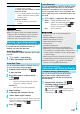
When “ ” is displayed on the End Stand-by Info
display, press
i
( ), and select “Copy info” to
copy the information. Select “Delete info”, and select
“YES” to delete the information.
Depending on the i-
α
ppli program, you can save its
data files on the microSD memory card.
You can display the i-
α
ppli data files saved on the
microSD memory card.
1
m
i-
α
ppli
i
α
ppli(microSD)
i
α
ppli(microSD)
End Stand-by Display
End Stand-by Info
i
α
ppli(microSD)
Displaying i-
α
ppli Data Files on
the microSD Memory Card
<>
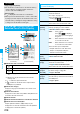
Function Menu while i-
α
ppli Data File is Displayed
Function menu
Operation/Explanation
Folder info
You can display the information of the
software program that uses the selected
folder, available/unavailable for folder usage,
and the reason if unavailable.
Delete folder
You can delete the selected folder and files in
the folder.
Enter your Terminal Security Code
YES