
User's Manual Part 2




218
i-
α
ppli
3
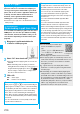
Read “
ご利用注意事項
(Cautions in use)”
thoroughly
OK
はい
(YES)
p
If you select “
いいえ
(NO)”, “
しゃべって翻訳とは
(What
is Speech Translation?)”, “
ご利用規約
(Usage rules)”,
and “
ご利用注意事項
(Cautions in use)” do not appear
when you start the program next time.
4
はい
(YES)
OK
p
“
iアプリの使い方
(How to use i-
α
ppli)” appears at the
first startup.
5
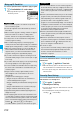
Select a menu item.
Translation
. . . . Starts translation.
Profile editing
. . Edit your name, gender, and age.
History
. . . . . . . . Displays translation history.
Menu
. . . . . . . . . Confirm/Change the settings.
p
Press
i
to switch between Japanese and English.
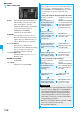
By using the GPS function and map, you can check the map
for where you are currently in or for the place you specify, or
check your nearby area for details. You can then navigate
yourself to the destination by vehicle, on foot, or by car.
Further, you can easily get train information by voice input.
p
You are separately charged a packet communication fee.
You are advised to use Pake-Houdai/Pake-Houdai Full for
using this application program.
p
If you delete this application program and then when you
want to resume it, download it from “
iエリアー周辺情報ー
(i-area -Local Information-)”.
p
This application program is a mail-linked i-
α
ppli program, so
it is not available when the mode of 2in1 is set to B Mode.
p
Note that we are not held responsible for the accuracy and
promptness of the map and route information.
p
While driving, ensure that a person other than the driver
operates this application program.
p
See page 233 for details on operations.
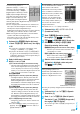
地図アプリ (Map Application)
“
楽オク出品アプリ2
(Rakuoku
Exhibition Application 2)” enables you
to easily exhibit your goods on
Rakuoku whenever you want wherever
you are. Even if you are a beginner, an
instruction guides you through
exhibition procedures, so you can use it
easily. The convenient functions such
as shooting/editing photos and saving
records are available so that you can
exhibit your goods in a shorter time than you do on sites.
p
You need to agree with “
利用規約
(Usage rules)” for the first
time.
p
You are separately charged a packet communication fee.
p
For details on Rakuoku, refer to “Mobile Phone User’s Guide
[i-mode]”.
p
To exhibit on Rakuoku, you need to register with the Rakuten
membership and exhibitor membership.
p
For the information about Rakuoku, refer to
i-mode site.
i-mode site
i
Menu
→楽オク
-
オーク
ション
-
(Rakuoku -Auction-)
This is an i-
α
ppli program that enables
you to conveniently use mobile
banking. Mobile banking enables you to
use your FOMA phone to check the
account balance, check the deposits/
withdrawals, and transfer/shift money
whenever you want and wherever you
are. By entering your specified
password at the start of this application
program, you can use the mobile
banking services for up to two banks.
p
To use mobile banking, you need to have the bank account
and subscribe to the mobile banking service of each bank.
p
You are separately charged a packet communication fee.
p
For details on the i-
α
ppli Banking, refer to “Mobile Phone
User’s Guide [i-mode]”.
p
For the information about i-
α
ppli Banking,
refer to i-mode site.
i-mode site
i
Menu
→
メニュー
/
検索
(Menu/
Search)
→モバイルバンキング
(Mobile Banking)
→iアプリバ
ンキング
(i-
α
ppli Banking)
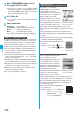
楽オク出品アプリ2
(Rakuoku Exhibition Application 2)
iアプリバンキング (i-
α
ppli Banking)
※
The display is for reference.
The actual one may differ.
QR code for
accessing the site
※
The display is for reference.
The actual one may differ.
QR code for
accessing the site