
User's Manual Part 2





200
Mail
Message services automatically deliver information
you want to your FOMA phone.
When your FOMA phone is in the service area, it
receives Messages R/F automatically from the i-mode
Center.
“ (white)” or “ (white)” appears at the top of the
display when a Message R/F is delivered.
You can save up to 100 each of received Messages R/F.
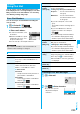
1
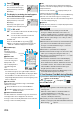
When you receive a Message R/F, the
“ (white)” or “ (white)” blinks and the
message for receiving the Message R/F
appears.
After the message is received, the
number of received mail messages
and Messages R/F is displayed.
p
You can display the Message
R/F List by selecting “MessageR” or “MessageF”.
p
If “Auto-display” is set to other than “OFF”, the contents
of received Message R/F are displayed automatically.
They are displayed for 15 seconds when “Mail/Msg. ring
time” is set to 0 through 10 seconds, or for the specified
duration plus 5 seconds when it is set to 11 seconds or
longer.
p
If no keys are pressed for the specified duration, “ ”
or “ ” (see page 112) appears on the desktop and
the former display returns. (The transit time varies
depending on the setting for “Mail/Msg. ring time”.)
Press
Oo
, highlight “ ” or “ ”, and press
Oo
( ) to display the Message R/F List.
p
See page 30 for when the FOMA phone is closed.
p
Even if you have put a check mark for “Insert”, the header and
signature cannot be pasted when you compose i-mode mail
for Photo-sending during a call or from a template or i-
α
ppli.
p
You cannot paste headers, signatures or the quotation
marks to SMS messages.
Receive Message R/F
Receiving Messages R/F
Automatically
Information
<>
■
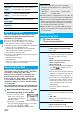
When unread Messages R/F are found
“ ” is added to “Message R/F” of i-mode menu.
Information
p
Received Messages R/F are not displayed automatically
while displaying the screen other than the Stand-by display,
while i-
α
ppli is running, or during Public Mode (Drive Mode),
Lock All, or Personal Data Lock.
p
When the number of Message R/F exceeds the maximum
of storage, they will be overwritten starting from the oldest
Message R/F. Unread or protected Messages R/F are not
overwritten.
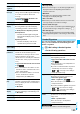
You can set how to automatically display Messages R/F
received during standby.
1
l
Mail settings
Auto-display
Select an option for automatic display.
p
When the FOMA phone cannot receive any more Messages
R/F, “ (black)” or “ (black)” is displayed. Delete
unnecessary Messages R/F, read unread Messages R/F or
release protection.
p
When the icon “ (white)” or “ (white)” is displayed, the
i-mode Center holds Messages R/F. When the icon
“ (black)” or “ (black)” is displayed, the i-mode Center
can hold no more Messages R/F. Perform “Check new
message” to receive them.
p
After being displayed automatically, Messages R/F are still
displayed as unread ones in the Message R/F List.
However, if you scroll through the messages while they are
being displayed automatically, they will be indicated as
read.
p
Messages R/F for you are held at the i-mode Center in the
following cases:
・
When the power is off
・
During a videophone call
・
During Self Mode
・
When you are out of the service area
・
During infrared data exchange
・
While connecting to the FirstPass Center
・
During PushTalk communication
・
During Omakase Lock
・
During iC communication
・
During copy to microSD
・
While connecting to the Data Storage Center
・
When the space for Messages R/F is full with protected or
unread messages
Auto-display
Information
Information
p
The Messages R/F are not displayed automatically when
“Mail security” is set for “Inbox”, or when “Mail security” is
set for “MessageR” folder or “MessageF” folder.