
User's Manual Part 2




195
Mail
Sent and received i-mode mail messages and SMS
messages are stored in Sent Address and Received
Address, up to 30 messages each. You can check the
List for the mail addresses and phone numbers. When
you exchange mail messages with the same mail
address or phone number, the older one is stored.
p
In Dual Mode of 2in1, up to 60 records for Number A/
Address A and Number B/Address B are stored in Received
Address in total.
1
Press and hold
Vo
for at least one second.
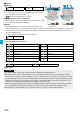
:SMS message
successfully sent
:i-mode mail successfully
sent
:SMS message failed to be
sent
:i-mode mail failed to be sent
:Time-difference corrected time
p
Press
m
( ) from the Sent Address List to
display Redial. When the Sent Address List is displayed
from Dialed Calls, you can press
m
() to display
Dialed Calls.
Press and hold
Co
for at least one second.
:SMS message
:i-mode mail
:
Time-difference corrected time
:SMS/i-mode mail message
received to Number B/
Address B (only in Dual Mode of 2in1)
p
Press
m
( ) on the Received Address List to
display Received Calls.
Ir/
transmission
(
Send Ir data)
See page 305.
Ir/
transmission
(
transmission)
See page 306.
Delete
YES
p
You can delete the mail message also by
pressing
0
.
Information
<Resend>
p
If you re-send a failed-to-send mail message, it is saved as
the sent mail message. If you re-send the failed-to-send
simultaneous message to all addresses, it is saved as the
sent mail message.
Sent Address Received Address
Displaying Sent/Received Mail Record
Function menu
Operation/Explanation
<>< >
When Using Sent Address
When Using Received Address
Sent Address List
Received Address List
2
Select a record to be displayed.
The detailed display of the Address List is displayed.
p
With an SMS message for which the other party’s
phone number is not notified, the reason for no caller ID
is displayed.
p
To send i-mode mail to the displayed address, press
Oo
( ) and go to step 3 on page 172.
To send an SMS message to the displayed phone
number, press
Oo
( ) and go to step 3 of
“Composing SMS Messages to Send” on page 206.
p
To store in the Phonebook, press
m
( ). Go to
step 2 of “Storing Displayed Phone Number/Mail
Address in Phonebook” on page 88.
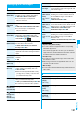
Function Menu while Sent/Received Address is
Displayed
Function menu
Operation/Explanation
Character size
You can switch the character size for the list.
p
The setting here applies to “Dialed/recv.
calls” of “Character size”.
Feel
*
Mail
[Received
Address only]
See page 110.
Add to
phonebook
See page 87.
Add desktop
icon
See page 114.
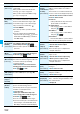
Compose
message
You can compose i-mode mail. The mail
address is entered in the address field.
Go to step 3 on page 172.
Compose SMS
You can compose an SMS message. The
phone number is entered into the address field.
Go to step 3 of “Composing SMS Messages
to Send” on page 206.
Dialing
If the mail address has been stored in a
Phonebook entry, you can make a voice call,
videophone call or PushTalk call to the phone
number stored in the Phonebook.
Select a dialing type.
p
When you select “Select image”, select an
image to be sent to the other party during a
videophone call. To cancel the setting,
select “Release”.
p
When multiple phone numbers are stored in
a Phonebook entry, you can dial the first
phone number.
Dial
p
To make an international call, select “Int’l
dial assist”, select an international call
access code, and follow the procedure
above after selecting “Dialing” from the
Function menu. (See page 58)
p
To set Caller ID Notification, select “Notify
caller ID”. (See step 2 on page 47)
ᵡᶍᶌᶒᶇᶌᶓᶃᶂ