
User's Manual Part 2






174
Mail
Operate att. file
(Attach file)
See page 179.
Operate att. file
(Delete att. file)
See page 180.
Template
(Load template)
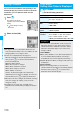
You can read in a template and compose
Deco-mail.
Load template
p
When the text has already been entered,
the confirmation display appears asking
whether to delete the text.
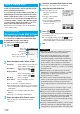
Select a template.
The contents of the template are entered into
the text.
p
While selecting a template, press
l
( ) to check the contents of the
template.
p
See page 175 for composing Deco-mail.
Template
(Save template)
You can save the Deco-mail you are
composing as a template.
Save template
YES
p
See page 162 when templates are stored to
the maximum.
p
See page 178 for how to check the stored
template.
Add header/
sig.
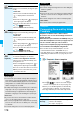
You can paste a header/signature at the
beginning or ending of the text of the i-mode
mail.
p
You need to store the header/signature
beforehand. (See page 199)
Information
<Operate receiver>
p
You cannot add any addresses if the address field for “To”,
“Cc”, and “Bcc” already contains five addresses in total or
contains no addresses.
p
You cannot send i-mode mail if the “To” field is blank.
<Template (Save template)>
p
The subject of i-mode mail you are composing will be the
title of the template. If no subject is entered, the title takes
the name of “YYYY/MM/DD hh:mm”.
(Y: year, M: month, D: date, h: hour, m: minute)
Function menu
Operation/Explanation
<Add header/sig.>
p
You cannot paste a header/signature if the text, including
the header/signature, would exceed 5,000 full-pitch or
10,000 half-pitch characters.
p
If the decoration such as font color or character size is set
for the top or end of text, the header or signature will be
decorated as well.
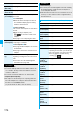
Function Menu of the Message Entry Display
Information
Function menu
Operation/Explanation
Decorate mail
See page 176.
Template
(Load template)
See page 174.
Template
(Save template)
See page 174.
Full pitch/Half
pitch
See page 358.
Copy
See page 360.
Cut
See page 360.
Paste
See page 361.
Undo
After entering or deleting characters, pasting data,
or operating on a decoration, you can undo your
most recent operation. You can do it up to twice.
p
You can undo the operation also by
pressing
m
().
Pictograph/
symbols
(Pictograph)
See page 358.
Pictograph/
symbols
(Symbols)
See page 358.
Pictograph/
symbols
(Space)
See page 358.
Phrase/code/
quote
(Common
phrases)
See page 358.
Phrase/code/
quote
(Kuten code)
See page 359.
Phrase/code/
quote
(Input time)
See page 359.
Phrase/code/
quote
(Quote
phonebook)
See page 359.