
User's Manual Part 2






173
Mail
p
You cannot send mail to the addresses that include a
comma (,).
p
You can enter an address in the To, Cc and Bcc fields.
p
If the destination address has been stored in the
Phonebook with a secret code, the secret code will be
added automatically at sending. However, even if a secret
code is stored in the Phonebook, the secret code will not be
added and the mail will be sent as ordinary i-mode mail
unless the address is a phone number or “phone
number@docomo.ne.jp”.
p
If you store the secret code and send mail to a mail address
other than that of DoCoMo mobile phones, you might not
receive the error message for unknown address.
p
The recipients might not be able to receive the full length of
the subject depending on their phones.
p
You can send up to 2,000 full-pitch characters in text to the
i-mode phone of the mova service.
p
Each line feed is counted as one full-pitch character, and a
space is counted as one full-pitch or half-pitch character.
p
The mail message you entered a Decomail-pictograph
becomes a Deco-mail message.
p
In B Mode of 2in1, you cannot compose i-mode mail.
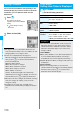
Function Menu of the Message Composition Display
Information
Function menu
Operation/Explanation
Send
You can send the mail message.
Go to step 7 on page 172.
Preview
Check the address, subject, text and
attachments before sending.
p
You can send the mail message by pressing
l
().
Save
When composing or editing the mail, you can
save it to the Draft.
Operate
receiver
(Add receiver)
You can add multiple addresses in the
address field to send the same i-mode mail to
multiple recipients simultaneously. You can
send the same mail to up to five addresses at
the same time.
Add receiver
Select an item.
Phonebook
. . . Call up a Phonebook entry and select a
phone number or mail address.
Sent address
. . . Select a phone number or mail address
and press
Oo
().
Received address
. . . Select a phone number or mail address
and press
Oo
().
Enter address
. . . Enter a mail address or phone number.
p
To consecutively add addresses, select
<Not entered> and repeat the above steps.
p
Press
i
( ) and select “Delete
receiver” to delete the selected mail
address. Select “YES”.
p
Press
i
( ) and select “Change rcv.
type” to change the type of mail.
(See page 173)
p
Select an entered mail address on the Mail
Composition display to show the Address
List.
l
()
Operate
receiver
(Delete
receiver)
You can delete the selected address when
there are multiple addresses.
Delete receiver
YES
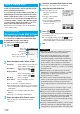
Operate
receiver
(Change rcv.
type)
Change rcv. type
Select a type of address.
To
. . . . . This is the direct destination
address. “To” recipients are
displayed at the receiving ends.
※
Cc
. . . . Specify to let parties know the mail
contents in addition to the direct
recipients. “Cc” recipients are
displayed at the receiving ends.
※
Bcc
. . . Specify to hide the recipients from
others. “Bcc” recipients are not
displayed at the receiving ends.
※
They might not be displayed depending on
the mobile phone, device, or mail software
of the receiving end.
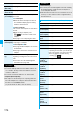
Operate att. file
(Activate
camera)
You can shoot and attach an image or
i-motion movie.
Activate camera
Select a shooting mode.
p
See page 139 and page 141 for how to
shoot.
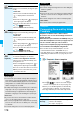
Function menu
Operation/Explanation
ᵡᶍᶌᶒᶇᶌᶓᶃᶂ