
User's Manual Part 2






170
i-mode/i-motion/i-Channel
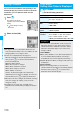
When “Ticker ON/OFF” is set to “ON”, up to 10 ticker
files for the latest information flow repeatedly on the
Stand-by display. If you want to know more about the
information, you can obtain the details from the
Channel List.
1
Press
Zo
.
The Channel List appears
regardless of the “Ticker ON/OFF”
setting.
p
“ ” blinks during receiving
information.
2
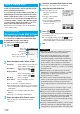
Select an item (link).
Using i-Channel
Channel List
Information
p
The ring tone does not sound and the vibrator does not
work even when information comes in. In addition, the Call/
Charging indicator does not light or flicker.
p
Tickers are not displayed in the following cases:
When the information is automatically updated after that or
when you press
+Zo
to receive the latest information,
tickers automatically flow.
・
When the UIM is replaced.
・
When “Host selection” is changed.
・
When “Reset i-Channel” is executed.
・
When “Reset settings” is executed.
・
When “Initialize” is executed.
However, the information might not be automatically
updated when “Host selection” is changed. To receive the
latest information, press
+Zo
to display the Channel List.
p
When “Host selection” is changed, the i-Channel connecting
end is also changed. (In ordinary, you do not need to
change the setting.)
p
Depending on your usage state, you might receive
information from i-Channel when you display the Channel
List.
1
i
i-Channel
Do the following operations.
Ticker ON/OFF
Setting How Ticker is Displayed
<>
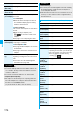
Item Operation/Explanation
Channel list
You can display the Channel List.
Go to step 2 on page 170.
Ticker ON/
OFF
You can set whether to display tickers on the
Stand-by display.
ON or OFF
Ticker scroll
speed
You can set the ticker flowing speed.
Select a speed.
Reset
i-Channel
You can initialize the ticker information, set
“Ticker ON/OFF” to “ON”, and “i-Channel
ticker” of “Private window” to “OFF”.
Enter your Terminal Security Code
YES
Information
p
You can perform “Ticker ON/OFF”, “Ticker scroll speed”,
and “Reset i-Channel” for each mode of 2in1. However,
i-Channel information is initialized for all modes. Further,
when 2in1 is deactivated, they become common to the
settings in A Mode.
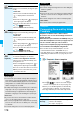
<Ticker ON/OFF>
p
When “Ticker ON/OFF” is set to “ON” and an animation is
set for the Stand-by display, playback of the image is
suspended after five seconds, and tickers start flowing.
p
In Public Mode (Drive Mode), or during Lock All, tickers are
not displayed.
<Reset i-Channel>
p
Tickers are not displayed after you execute “Reset
i-Channel”. When the information is automatically updated
after that or when you press
+Zo
to receive the latest
information, tickers automatically flow.