
User's Manual Part 2



162
i-mode/i-motion/i-Channel
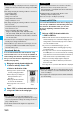
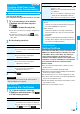
You can download dictionaries from sites. You can save
up to 10 dictionaries including the pre-installed ones.
p
You can download the pre-installed dictionaries from the
“P-SQUARE” site. (See page 163)
1
Bring up a dictionary downloadable site
Select a dictionary
Save
YES
p
Select “Property” to display the
information about the dictionary.
(See page 362)
p
See page 158 to save a screen
memo.
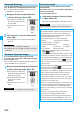
2
<Not stored>
To set it as a dictionary file,
select “YES”.
p
See page 361 for how to operate the downloaded
dictionary.
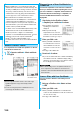
You can download Chara-den images from sites.
You can save up to three Chara-den images including
the pre-installed ones.
p
You can download the pre-installed chara-den images from
the “P-SQUARE” site. (See page 163)
1
Bring up a Chara-den image downloadable site
Select a Chara-den image
Save
YES
p
Select “Property” to display the
information about the Chara-den
image. (See page 288)
p
See page 162 when Chara-den
images are stored to the
maximum.
p
See page 158 to save a screen
memo.
Download Dictionary
Obtaining Completion
display
Information
p
You can save up to 20 Kbytes per dictionary.
p
Depending on the site, you might not be able to download
dictionaries.
Download Chara-den Images
Obtaining Completion
display
Information
p
You can save up to 100 Kbytes per Chara-den image.
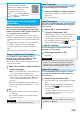
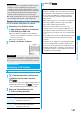
You can look for your favorite files on the site and
download them.
The number of files you can save differs depending on
the files you download.
You cannot change the site.
1
Each selection display
Search by i-mode
YES
Select a file.
p
The way of downloading differs depending on the file.
Search by i-mode
Information
p
You are separately charged a packet communication fee.
■
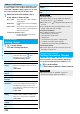
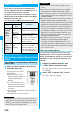
When the data files are stored to the maximum
If the maximum number of data files is stored or there is not
enough memory when you try to save the data files, the
confirmation display appears asking whether to delete the
unnecessary file and save new one.
p
Perform this operation to save the following data:
・
Images
・
i-motion movies
・
Melodies
・
Chara-den images
・
Programs
・
Chaku-uta Full
®
music files
・
PDF files
・
i-
α
ppli
・
ToruCa files
・
Templates
・
Screen memos
・
Kisekae Tool files
1. YES
Put a check mark for data files to be deleted
l
()
YES
As the data files except Chara-den images, templates, and
screen memos are stored to the same storage area, you can
select other files when deleting files. Select a folder and put
a check mark for the files to be deleted. “ ” appears
when you put it for the files whose amount of data is equal to
memory shortage.
p
When selecting a file in “MUSIC”, you can show the lower
level folders by pressing
l
().
p
Each time you press
r
, the upper level folder returns.
p
For programs, as a program has a large data volume, you
need to delete many files when you delete other files.
p
If the maximum number of files are stored when you
execute “Move program”, or when you try to save i-
α
ppli
program or ToruCa file, you need to select a same type of
file as the one you want to save.
p
If there is a security-applied folder for screen memos, the
confirmation display appears asking whether to enable you
to select screen memos in that security-applied folder.
When you select “YES”, you need to enter your Terminal
Security Code.
p
The file set for another function is indicated by “
★
”.
p
See page 214 for deleting mail-linked i-
α
ppli.
p
If you operate this when moving an i-
α
ppli program from
microSD memory card to the FOMA phone, you cannot
delete the i-
α
ppli program with its data file on the IC card.