
User's Manual Part 2



161
i-mode/i-motion/i-Channel
You can download Kisekae Tool files from the site to
change the ring tone, Stand-by display, icons, and
others at a time. You can save up to 3,500 files in total
including other data files, however, the number of files
you can save decreases depending on the data volume.
(See page 444)
p
You can download the pre-installed Kisekae Tool files from
the “P-SQUARE” site. (See page 163)
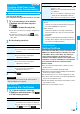
1
Bring up a Kisekae Tool downloadable site
Select a Kisekae Tool file
Save
YES
Phone or microSD
p
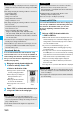
When you save a Kisekae Tool
file to your FOMA phone, a
confirmation display appears
asking whether to set the
Kisekae Tool file at a time.
p
Select “Property” to display the
Kisekae Tool information. (See
page 292)
p
See page 162 when Kisekae
Tool files are stored to the maximum.
p
See page 158 to save a screen memo.
You can download ToruCa files from sites.
You can save
up to 3,500 files in total including other data files,
however, the number of files you can save decreases
depending on the data volume.
(See page 444)
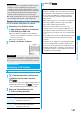
1
Bring up a ToruCa file downloadable site
Select a ToruCa file
Save
YES
Select a destination folder.
p
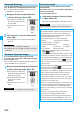
Select “Display” to preview the
ToruCa file. You can save the
ToruCa file also by pressing
Oo
( ) while it is previewed.
p
See page 162 when ToruCa files
are stored to the maximum.
p
Press
i
( ) and select
“Add screen memo” to save the
display as a screen memo. (See page 158)
Download Kisekae Tool File
Obtaining Completion
display
■
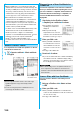
When downloading Kisekae Tool file is suspended
When you press
l
( ) to suspend downloading or when
downloading is suspended by an incoming call, the confirmation
display appears asking whether to resume downloading.
Select “YES” to resume downloading the remaining part. Select
“NO” to show the Obtaining Completion display. When you
select “Save pt.”, select “Phone” or “microSD” to save.
You can re-download the rest of the partially saved file from
“Kisekae Tool” in “Data box”.
Information
p
You can save up to 2,078 Kbytes per Kisekae Tool file.
Download ToruCa File
Obtaining Completion
display
You can download templates for Deco-mail from sites.
You can save up to 100 templates including the
pre-installed ones, however, the number of templates
you can save decreases depending on the data volume.
p
You can download the pre-installed templates from the
“P-SQUARE” site. (See page 163)
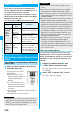
1
Bring up a template downloadable site
Select a template
Save
YES
p
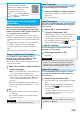
Select “Property” to display the
information about the template.
(See page 179)
p
See page 178 for how to check
the stored template.
p
See page 162 when templates
are stored to the maximum.
p
See page 158 to save a screen
memo.
Download Template
Obtaining Completion
display
Information
p
When no decoration is set for the template, you cannot save
it.
p
When a file is attached to the template, that file is deleted.
p
When the image whose output from the FOMA phone is
prohibited is inserted, the inserted image is deleted when
saving. When the inserted image is deleted and thus no
decoration is found, you cannot save the template.
p
The title of the downloaded template takes the name of
“YYYY/MM/DD hh:mm”. (Y: year, M: month, D: date, h:
hour, m: minute)
p
You can download up to 200 Kbytes per template file, but
when the number of characters used for the mail text
exceeds 5,000 full-pitch characters or 10,000 half-pitch
characters, or when the total of the image size inserted
exceeds 90 Kbytes, you cannot save that template file.