
User's Manual Part 2



159
i-mode/i-motion/i-Channel
Information
p
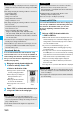
The page saved as a screen memo has the information at
the time it was saved. This might differ from the latest
information on the site.
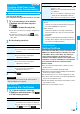
Function Menu of the Screen Memo Folder List
Function menu
Operation/Explanation
Operate folder
(Add folder)
See page 157.
Operate folder
(Edit folder
name)
See page 157.
Operate folder
(Delete folder)
See page 157.
Security ON/
OFF
You can set the folder to open only when you
enter your Terminal Security Code.
Enter your Terminal Security Code
YES
The folder changes to “ ”.
p
To release it, perform the same operation.
No. of memos
You can display the number of stored screen
memos and protected screen memos in all folders.
Delete all
You can delete all screen memos. The folders
will not be deleted.
Enter your Terminal Security Code
YES
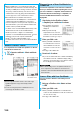
Function Menu of the Screen Memo List
Function menu
Operation/Explanation
Move
See page 158.
Edit title
See page 158.
Protect ON/
OFF
You can protect screen memos not to be
deleted. You can protect up to 50 screen
memos, however, the number of screen
memos you can protect decreases depending
on the data volume.
Protected items are indicated by “ ”.
p
To release protection, perform the same
operation.
No. of memos
You can display the number of stored screen
memos and protected screen memos in the
displayed folder.
Delete
(Delete)
See page 158.
Delete
(Delete
selected)
See page 158.
Delete
(Delete all)
See page 158.
You can download the files such as images and
melodies from sites and save them to the FOMA phone.
You can save some files directly to the microSD
memory card.
You can save the image displayed on a site or screen
memo, and then set it as the Stand-by display, Wake-up
display, or another display. You can save images,
frames and marks for Deco-mail as well. You can save
up to 3,500 files in total including other data files,
however, the number of files you can save decreases
depending on the data volume. (See page 444)
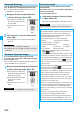
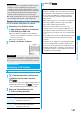
1
From a site display/Detailed Screen Memo
display
i
()
Save image
Save image or Save BG image
p
When you save an image, select it.
2
YES
Select a destination folder.
p
See page 162 when images are stored to the maximum.
3
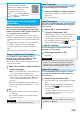
To set it as a display, select “YES”.
Go to “Set display” on page 274.
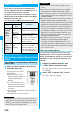
Function Menu of the Detailed Screen Memo Display
Function menu
Operation/Explanation
Compose
message
You can compose i-mode mail also by
pressing
l
( ). (See page 155)
Edit title
See page 158.
Protect ON/
OFF
See page 159.
Save image
See page 159.
Add to
phonebook
See page 87.
Others
(URL)
You can display the URL of the screen memo.
URL
Others
(Certificate)
See page 155.
Others
(Sound effect)
See page 164.
Others
(Retry)
You can play back the animation or Flash
movie from the beginning.
Retry
Delete
YES
Downloading Files or Data Items
from Sites
Download Image
Information
p
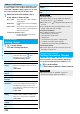
Up to 36 half-pitch characters are saved for a file name.
When the file name is not specified, a part of the
downloaded URL or “imagexxx” (xxx denotes numerals) is
saved as the file name.
ᵡᶍᶌᶒᶇᶌᶓᶃᶂ