
User's Manual Part 2




154
i-mode/i-motion/i-Channel
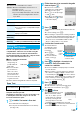
In sites, you may use the displayed radio buttons,
check boxes, text boxes, and pull down menus.
Flash is an animation technology using pictures and
sound. Flash movies make the sites more attractive.
You can download Flash movies to your FOMA phone
and play them back or set them for the Stand-by
display.
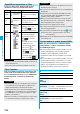
Select/Enter Information on Sites
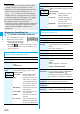
Name Display example Operation/Explanation
Radio
button
:
Not selected
:
Selected
Radio buttons are for
selecting one from multiple
choices.
Check
box
:
Not selected
:
Selected
Check boxes are for
selecting one or more items
from multiple choices.
Text box You can enter characters.
Highlight a text box and
press
Oo
( ) to show
the Character Entry display.
Pull
down
menu
You can select an item from
the option list. Highlight a
pull-down menu and press
Oo
( ) to show the
option list.
p
You might be able to select
multiple items from
pull-down menus. Each
time you use
Bo
to
highlight an item and press
Oo
( ), you can
select/release items
repeatedly. After selecting
items, press
l
().
Information
p
Some sites show the authentication display to request your
user ID and password.
Enter your user ID and password, and then select “OK”.
Flash Function
Information
p
The maximum display size of the Flash movies on the site is
in 700 x 480 dots. If it is larger than 700 x 480 dots, it is
displayed shrunk with a proportional ratio retained.
p
Some Flash movies refer to the phone-information data in
your FOMA phone. To permit the use of the information in
your FOMA phone, set “Use phone information” to “YES”.
(“YES” is set at purchase.)
p
Effect tones sound for some Flash movies. To silence them,
set “Sound effect setting” (or “Sound effect”) to “OFF”.
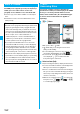
When you select an item, the confirmation display
asking whether to send the serial number of mobile
phone/UIM might appear.
p
The “serial number of your mobile phone/UIM” to be sent is
used by an identifying the user, providing customized
information, and for judging if the contents the IP
(Information Provider) offers are available on your mobile
phone.
p
The “serial number of your mobile phone/UIM” is sent to the
IPs (Information Providers) over the Internet, so could be
deciphered by third parties. However, your phone number,
address, age, and gender are not notified to the IPs
(Information Providers) or others, by this operation.
p
The effect tone and vibrator for the Flash movie set for the
Stand-by display do not work.
p
The effect tone for Flash movies does not sound during Play
Background.
p
Some Flash movies may vibrate the FOMA phone while
they are being played back. The FOMA phone vibrates
regardless of the setting of “Vibrator”.
p
When you play back the Flash movie saved to the Data
Box, microSD memory card, or screen memo, it might look
different depending on the saving location.
p
Some Flash movies might not work correctly.
p
You cannot save the Flash movies if an error occurs while
they are being played back.
p
You can operate some Flash movies by using
+Mo
or
+Oo
.
Flash movies can be operated sometimes even when
“ ” is not displayed.
p
When Flash movies are displayed, the behavior might differ
from ordinary sites.
Serial number of mobile phones/UIMs
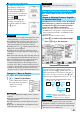
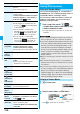
Function Menu while Site is Displayed
Information
Function menu
Operation/Explanation
i
Menu
You can return to “
i
Menu”.
Bookmark
(Add
bookmark)
See page 157.
Bookmark
(Bookmark)
Bookmark
Go to step 1 of “Display Web Pages or Sites
from a Bookmark” on page 157.
Screen memo
(Add screen
memo)
See page 158.
Screen memo
(Screen memo
list)
Screen memo list
Go to step 2 on page 158.