
User's Manual Part 2




292
Data Display/Edit/Management
<Melody info>
p
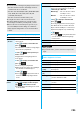
You may not be able to attach to i-mode mail even when the
file restriction in the melody information is “File unrestricted”.
<Delete>
p
When a melody set for another function is deleted, the
setting returns to the default. (When the melody is set for an
alarm tone of “Schedule”, “ToDo”, or “Book program”, or for
“Alarm”, it switches to “Clock Alarm Tone”.)
p
You cannot delete the pre-installed melody.
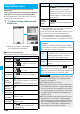
Function Menu of the Melody Playback Display
Information
Function menu
Operation/Explanation
Set as ring
tone
See page 291.
Add desktop
icon
See page 114.
Attach to mail
See page 291.
Melody info
See page 291.
Copy to
microSD
See page 296.
Copy to phone
See page 297.
Play all/
Play portion
You can temporarily switch the play start
positions of the melody.
You can check the details on Kisekae Tool file.
p
You can delete the pre-installed Kisekae Tool file. You can
re-download it from the “P-SQUARE” site (see page 163).
When you use a UIM other than the one used for
downloading, the UIM restrictions (see page 39) are set to it.
1
m
Data box
Kisekae Tool
Select a Kisekae Tool file
Select an item.
Selected image, ring tone or illumination are played back
as a demo. If you select a color theme, the display is
displayed in selected color theme.
p
Each time you press
m
from the Kisekae Tool List,
you can switch between the List in the FOMA phone
and the microSD memory card. In the Folder List on the
microSD memory card, you can display the Kisekae
Tool List by selecting a folder.
p
See page 302 for the Function menu on the Folder List.
p
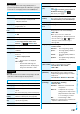
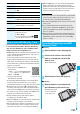
The images on the
right is displayed
when you cannot
display a preview
image.
p
When you select a Chara-den image in a Kisekae Tool
file, you can press
i
( ) to use the Function
Menu of the Chara-den display (see page 289).
p
See page 162 when you select “Search by i-mode”.
Kisekae Tool
Checking Kisekae Tool
<>
Kisekae Tool List
Detailed Kisekae Tool
display
Cannot be
played back
No preview images
Information
p
You cannot set Kisekae Tool on the microSD memory card
at a time.
p
Clock display cannot be played back as a demo.
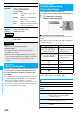
Function Menu while Kisekae Tool List is Displayed
Function menu
Operation/Explanation
Edit title
See page 274.
Preview
You can preview the Kisekae Tool file.
Set at one time
You can set the Kisekae Tool file at one time.
(See page 109)
p
You can set the Kisekae Tool file at one
time also by pressing
l
.
File info
You can display the Kisekae Tool title, file
name, etc.
Move to
microSD
See page 298.