
User's Manual Part 2




290
Data Display/Edit/Management
1
m
Data box
Melody
p
Each time you press
m
from
the Folder List, you can switch
between the folders in the FOMA
phone and the microSD memory
card.
p
See page 302 for the Function menu on the Folder List.
Function Menu of the Chara-den Recording Display
Function menu
Operation/Explanation
Switch
Chara-den
Select a Chara-den image to be
displayed.
Substitute
image
See page 69.
Action list
See page 289.
Change action
See page 289.
Display size
See page 289.
Recording
size
You can set the size of the image for
recording and saving a still Chara-den image.
You can set only in Photo Mode.
QCIF (176 x 144) or Small (117 x 96)
Recording
type
You can set whether to record video or voice
for recording and saving moving Chara-den
images. You can set only in Movie Mode.
Video + voice or Video
Recording
quality
You can set the image quality for saving a
moving Chara-den image. You can set only in
Movie Mode.
Normal, Prefer image quality, or Prefer
motion speed
Information
<Switch Chara-den>
p
If you switch Chara-den images, the action mode switches
to Whole Action Mode.
+m-1-6
Melody Player
Playing Back Melodies
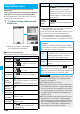
<>
Folder List
2
Select a folder
Select a melody.
p
When selecting folders and melodies by another
function, some folders or melodies may not be
displayed depending on the function. Some melodies
may be played back for confirmation while being
selected, or you may at times be able to play back the
melody by pressing
l
().
p
See page 162 when you select “Search by i-mode”.
You can repeatedly play back the melodies selected by
“Edit playlist”.
1
m
Data box
Melody
Playlist
■
Operation while playing back a melody
※
1 If the FOMA phone is closed, playback is halted.
※
2 Valid when played back from the Melody List.
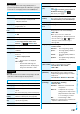
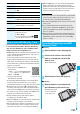
Melody List Melody Playback display
Play Back Playlist
Operation Key operation
Halt
Oo
(),
d
,
0
through
9
,
a
,
s
,
l
,
c
,
p
Sound volume
adjustment
Bo
or
<
/
>
※1
p
Press and hold to adjust the sound
volume sequentially.
p
Available for set to from Level 0
(Silent) through 6
Replay next file
※2
Vo
Replay previous file
※2
Co
Information
p
The melodies are played back at the volume set for “Phone”
of “Ring volume”. When “Phone” of “Ring volume” is set to
“Silent” or “Step”, they are played back at “Level 2”.
However, the melody played back when it is selected does
not sound.
p
Even if you change the volume while playing back, the
volume set for “Phone” of “Ring volume” returns when you
exit the Melody player.