
User's Manual Part 2




152
i-mode/i-motion/i-Channel
i-mode is the service that makes use of the display of
the FOMA phone supporting i-mode (i-mode phone) to
enable you to use online services such as site
(program) access, Internet access, and i-mode mail.
p
i-mode is a pay service that is available on a subscription
basis.
p
For details on i-mode, refer to the “Mobile Phone User’s
Guide [i-mode]”.
What is i-mode?
■
Before Using i-mode
p
Contents of sites (programs) and web pages (Internet web
pages) are generally protected by copyrights law. Data
such as text and images that you obtained to the i-mode
phone from sites (programs) and Internet web pages can
be used for personal entertainment but cannot be used in
whole or in part, as it is or after modification, for
commercial purposes or sent as e-mail attachments or
output from your i-mode phone to other devices, unless
you have permission from the copyright holders.
p
If you replace the UIM with another one or turn on the
power with the UIM not inserted, you cannot display/play
back files depending on the model, such as still images/
moving images/melodies obtained from sites, attached
files (still images/moving images/melodies and other files)
sent/received by mail, screen memos, or Messages R/F.
p
When the file whose display and/or playback is restricted
by the UIM is set for the Stand-by display or specified ring
tone, the FOMA phone works with the default contents
when you replace the existing UIM with new one or turn on
the power with the UIM not inserted.
You can use a variety of services offered by IPs
(Information Providers). From the display of the FOMA
phone, you can check your bank balance, reserve
tickets, and do similar tasks. (IPs offer different types
of services. Some of them need to be applied for
separately.)
1
i
i
Menu
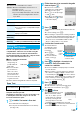
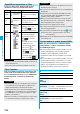
While you are online, “ ” blinks.
p
“ ” blinks while you are using the i-mode service
(during i-mode standby).
p
To cancel during the connection, select “Cancel”. To
cancel while obtaining a page, press
l
().
p
To end i-mode, press
h
and select YES while the
site is displayed. “ ” goes off and i-mode ends.
It may take longer to end i-mode.
2
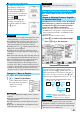
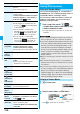
Select an item (link).
Repeat selecting items (links) to display the desired site.
p
You can select underscored items on the displayed site.
When you select an item, it is highlighted.
p
If there is a number at the head of the item showing the
link, you can connect to that link directly by pressing the
numeric key corresponding to that number. (Some sites
cannot be connected.)
p
While the site is displayed, press
Bo
to scroll through
line by line. Press
m
()/
c
() or
<
/
>
to scroll through page by page.
i
Menu
Accessing Sites
<>
i-mode menu