
User's Manual Part 2





265
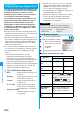
Full Browser/PC Movie
By using high speed communication, you can play
back smooth and high-quality PC movies provided by
portal sites, movie specialty sites and other sites on
the Internet.
p
PC Movie Player supports playback of Windows Media
®
Video.
p
When downloading or streaming a PC movie, you might
receive a bulky size of file. Note that you are charged a high
packet communication fee for a bulky sent/received file such
as a streaming type file whose size is not limited. For the
details of the packet communication fee and billing plan,
refer to “Mobile Phone User’s Guide [i-mode]”.
p
The distribution server for streaming type supports Windows
Media Services 9 only. You cannot play back a streaming
type of PC movie distributed from other than Windows Media
Services 9.
p
Some sites check the operating environment (browser type,
OS type, etc.) are checked and you might not be able to play
back PC movies.
p
See page 267 for the supported file format of PC movies.
What is PC Movie?
Categories
Description
Type
Playback
type
Streaming
type
(cannot be
saved)
Plays back
while
obtaining
You can play back a PC movie
while obtaining it.
A long time playback is
available.
Download
type
(can be
saved)
Plays back
while
obtaining
When “PC Movie auto-play” is
set to “ON”, you can play back
a PC movie while obtaining it.
You can save it to the microSD
memory card after download
and play it back without
re-connection. Up to 10 Mbytes
of a file can be downloaded.
Plays back a
file saved to
the microSD
memory card
To the microSD memory card,
you can save not only data files
obtained by the FOMA phone
but also PC movies obtained or
created on a personal
computer, and then play them
back. You can save a bulky file
of up to the space size of
microSD memory card.
1
Select a PC movie from a PC movie
obtainable site
YES
See page 266 for the operation
during playback.
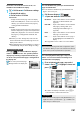
1
Select a PC movie from a PC movie
obtainable site
YES
See page 266 for the operation
during playback.
p
If “PC Movie auto-play” is set to
“ON”, a PC movie is played back
during obtaining. If “OFF” is set,
you can play it back by selecting
“Play” from the Obtaining
Completion display.
p
When you obtain a download type of PC movie from a
site, the file is obtained while it is played back, and
obtaining itself continues even when you suspend the
playback midway.
Downloading PC Movies
Playing Back a Streaming Type of PC
Movie
■
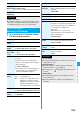
About license (Windows Media DRM)
p
Among the PC movies protected by the license, you can
play back the streaming type of PC movies only. You
cannot play back the download type of PC movies
protected by the license.
p
You might not be able to play back PC movies depending
on the license setting of the PC movies.
p
If the PC movie has the restrictions on the playback period,
you cannot play it back before and after that period. If you
leave your FOMA phone with the battery pack removed for
a long time, the date/time information retained in the
FOMA phone might be reset. In that case, you cannot play
back the PC movie that has the restrictions on the
playback period or playback expiry date. See “Contents
info” on page 268 for checking the playback restrictions.
p
If files are stored to the maximum when you try to obtain a
license to save it to the FOMA phone, the confirmation
display appears asking whether to delete currently stored
licenses to save a new one. Select “YES” to delete all the
stored licenses to save it. You need to obtain a license
again to play back a PC movie whose license is deleted.
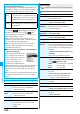
Playing Back a Download Type of PC
Movie
Obtaining Completion
display
ᵡᶍᶌᶒᶇᶌᶓᶃᶂ