
User's Manual Part 2





263
Full Browser/PC Movie
1
i
Full Browser
Full Browser settings
Do the following operations.
Others
(Referer setting)
You can set whether to send a referer.
Referer setting
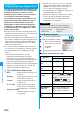
Go to step 1 of “Referer Setting” on page 264.
Others
(Certificate)
See page 155.
Information
<Compose message>
p
The number of characters of the URL you can paste to the
text is up to 512 half-pitch characters. If the URL contains
512 half-pitch characters or more, you cannot paste it.
Full Browser Settings
Setting Full Browser
Function menu
Operation/Explanation
<>
Item Operation/Explanation
Display Mode
setting
See page 261.
Scroll
(Speed)
You can set scroll speed.
Speed
High speed or Low speed
Scroll
(Focus while
scroll)
You can set whether to highlight links while
scrolling.
Focus while scroll
ON or OFF
Zoom
You can set the display size of the Internet
web page.
From the Function menu of Full Browser
display, you can enlarge/reduce the display
size by each page.
Select a display size.
p
In PC Mode, you can select a display area
by “Select disp. area” from the Function
menu of the Full Browser display.
Access
setting
You can set whether to use Full Browser.
Yes
. . . Uses Full Browser.
No
. . . . Displays the cautions at the start of
Full Browser. Check the cautions,
highlight “Yes” and then select “OK”,
then the setting switches to “Yes”,
and Full Browser becomes available.
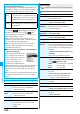
Home URL
You can set Home URL.
Select the URL field
Enter a URL
OK
Set image
display
You can set whether to display images.
ON or OFF
PC Movie
auto-play
You can set whether to automatically play
back the downloaded type of PC movies while
obtaining.
ON or OFF
Cookie setting
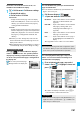
See page 264.
Delete Cookies
See page 264.
Referer setting
See page 264.
Script setting
You can set whether to validate JavaScript.
JavaScript is a simple program language that
runs on Internet web pages. It is widely used
to create Internet web pages with
movements.
When “Valid” is set, you can use the
JavaScript function to browse Internet web
pages on Full Browser.
Valid or Invalid
Window Open
Guard
You can set whether to prevent a new window
from opening automatically by JavaScript.
Valid or Invalid
Check
settings
You can check respective Full Browser
settings.
Reset last
URL
You can erase the URL of the Internet web
page you viewed last.
YES
Information
<Access setting>
p
If you replace the UIM with a new one when “Yes” is set, the
setting switches to “No”.
<Set image display>
p
Even when “ON” is set, images might not be displayed
correctly. In this case, “ ” is displayed.
p
When “OFF” is set, “ ” is displayed and the data file is not
received.
<Script setting>
p
Some Internet web pages may not be displayed correctly
unless “Valid” is set.
p
Even when “Valid” is set, it might not work depending on
JavaScript.
Item Operation/Explanation