
User's Manual Part 2



257
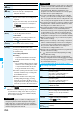
One Seg
ECO mode
You can set ECO Mode which fixes some
settings and reduces the battery consumption.
YES
p
To release ECO Mode, perform the same
operation.
p
Once ECO Mode is set, the following settings
are fixed and cannot be changed. However, if
you release ECO Mode, settings return.
Image quality: Standard
Remaster: OFF
Listening: OFF
Equalizer: Normal
Display light
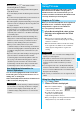
You can set the period of time of the display lights
while you are watching a One Seg program.
Constant light or
Lighting duration
Enter a lighting duration (minutes).
p
Enter from “01” through “30” in two digits.
Data
broadcasting
(Set image
display)
You can set whether to display images of the
data broadcasting site. (See page 164)
Data
broadcasting
(Sound effect
setting)
You can set whether to sound an effect tone
of the data broadcasting and the data
broadcasting site.
Sound effect setting
ON or OFF
Data
broadcasting
(Reset
settings)
If you select “YES (confirm once)” from the
confirmation display for data broadcasting,
the same confirmation display does not
appear afterward. The confirmation display
resumes after you reset settings.
Reset settings
YES
Icon
You can set whether to always display guide
(see page 247) in the horizontal display.
ON or OFF
p
Even if you set “Icon” to “OFF” and
“Receiving display” to “Operation preferred”,
the icon such as “ ”, “ ” or “ ” appears
when you receive a mail message or
Message R/F.
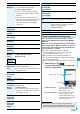
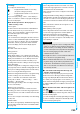
Check TV
settings
You can check each of “User settings”.
Reset channel
setting
You can delete all channel lists.
Enter your Terminal Security Code
YES
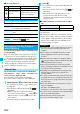
Reset storage
area
i
()
Delete this or Delete all
Delete this
. . . Deletes only the information of
the affiliated broadcasting
stations you selected, from the
broadcasting storage area.
Delete all
. . . . Deletes the information of all
affiliated broadcasting stations
created in the broadcasting
storage area.
YES
p
If you select “Delete all”, you need to enter
your Terminal Security Code.
Item Operation/Explanation
Reset TV
settings
You can reset each of “User settings” to the
default.
See “Function List” for the items to be reset.
(See page 394)
Enter your Terminal Security Code
YES
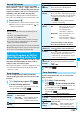
Information
<Sound (TV sound while closed)>
p
When “TV sound while closed” is set to “ON”, the
information about the data broadcasting might be
automatically updated, and you might be charged a packet
communication fee.
p
Regardless of the setting of this function, the audio is played
back even if your FOMA phone is closed when you switch
displays by Multitask, or when the display appears in
multiple windows.
<ECO mode>
p
AV output is not available during ECO Mode.
p
When you switch to the horizontal display from the vertical
display in ECO Mode, the information about the data
broadcasting is discarded. Switch to the vertical display to
receive the data broadcasting again.
<Data broadcasting (Set image display)>
p
If you change this setting, “Set image display” of “i-mode
settings” is also changed.
<Data broadcasting (Reset settings)>
p
You cannot reset the confirmation display at the start of
One Seg (see page 244) and at the time of Timer Recording
(see page 254).
<Icon>
p
The guide display might appear even if “Icon” is set to “OFF”
when the radio wave conditions have got worse.
Item Operation/Explanation