
User's Manual Part 2



254
One Seg
2
Press
l
().
p
When the confirmation display appears asking whether
to set the timer recording, select “YES”. If you select
“YES (confirm once)”, the same confirmation display
does not appear afterward.
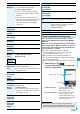
(Channel)
Select a channel.
(Edit title)
Enter a program name.
p
You can enter up to 48 full-pitch/96
half-pitch characters.
(Repeat)
Select a type of repeat.
p
If you select “1 time”, the recording is not
repeated.
p
If you select “Select day”, put a check mark
for days of the week to be set and press
l
().
p
The timer recording set with repetition is
counted as one event.
(Alarm)
You can set whether to make the alarm tone
for the booking alarm notification.
ON or OFF
p
Regardless of the setting of “Alarm”, the
vibrator works in Manner Mode.
(Volume)
Use
Bo
to adjust the volume.
p
You cannot set the volume to “Step”.
(Priority)
You can set a recording operation for when
the start time data/time arrives while
operating a function which cannot be started
up simultaneously.
Recording or Operation
Recording
. . . Suspends and terminates the function
being operated, and starts recording.
Operation
. . . The confirmation display appears asking
whether to start recording. Select “YES”
to suspend and terminate the function
being operated and start recording.
p
For while operating a function which can be
started up simultaneously, recording starts
by the Multitask function.
p
When the start time arrives during a call
(including dialing and ringing), recording
starts after you end the call. When you are
using another function during a call, recording
starts after you end the call and the function.
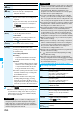
Item Operation/Explanation
Information
p
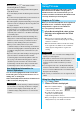
You can book programs or set timer recordings also by
using the program information displayed in the Program
Guide i-
α
ppli, sites, or mail. In that case, the registration
display might appear with the start date/time, end date/time,
channel, and program name entered.
p
When you booked multiple programs whose booking alarm
notification is made at the same date/time, the notification
for the program set for the earliest start date/time is
preferentially made. When the start date/time of the
programs is the same, the notification set for the program
booked in the last is preferentially made.
p
You cannot set multiple timer recordings whose recording time
overlaps. If you book two timer recordings and the recording end
time of one program is the same as the recording start time of the
other, recording of the first program ends about one minute earlier.
p
You cannot book programs or set timer recordings of which
starting date/time or alarm notification date/time (for Timer
Recording, about one minute before) is over.
p
The program bookings and timer recordings of which alarm
notification date/time is over are automatically deleted.
However, the bookings set to be repeated, program bookings
for which “Alarm” is set to “OFF” are not deleted. Also the
bookings are not deleted if you were operating the program
booking/timer recording function on the notification date/time.
p
When no channel lists are set, you cannot book programs
and set timer recordings.
p
When you have set “Priority” of “Recording” to “Operation”
and the confirmation display is shown, the recording does
not start even at the recording start time and starts at the
time you select “YES”. However, the recording is not
executed if the recording end time is over.
p
The title of the recorded video file takes the program name
booked for the timer recording.
p
“ ” appears in the Viewer display during recording
video by Timer Recording.
p
The audio from a One Seg program is not played back
during recording that has been started by Timer Recording.
You can play back the audio by pressing
-r
or adjusting
the sound volume, however.
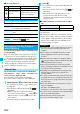
Function Menu while Book Program or Timer
Recording is Displayed
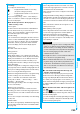
Information
Function menu
Operation/Explanation
New
Go to step 1 of “Book Program” on page 253
for Book Program.
Go to step 1 of “Timer Recording” on
page 253 for Timer Recording.
Edit
Go to step 1 of “Book Program” on page 253
for Book Program.
Go to step 1 of “Timer Recording” on
page 253 for Timer Recording.
Sort
You can change the display order.
Select an order.
Delete this
YES
Delete past
You can delete the program bookings and
timer recordings whose start date/time or end
date/time is set for the past date/time.
YES
Delete
selected
Put a check mark for programbookings
or timer recordings to be deleted
l
()
YES
Delete all
Enter your Terminal Security Code
YES
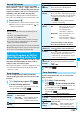
Memory info
[Timer
Recording only]
You can display the used memory space
(estimate).