
User's Manual Part 2



252
One Seg
■
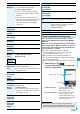
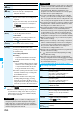
Icons in the TVlink List
You can save the program as video or still images while
you are watching.
p
The copy control signals such as “Copy never”, “Copy once”,
and “Copy free” are incorporated into One Seg. The copy
control signals are determined by each broadcasting station.
p
You cannot record the programs of “Copy never”. Further,
when the copy control signal is changed to “Copy never”
during recording, the recording session is closed, and the
video recorded up to that point is saved.
The recorded video is saved to the microSD memory
card (“Data box”
→
“1Seg”
→
“Video”
→
“microSD”). You
can record up to 2 Gbytes per item.
p
See page 286 for playing back the recorded video.
p
You cannot save the recorded video to the FOMA phone.
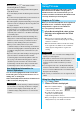
1
Viewer display
p
(for at least one second)
The confirmation tone sounds, “ ” appears, and
recording starts.
p
You can start recording also by pressing
Oo
() in
Video Mode.
p
When the radio wave reception level indicates “ ”,
you cannot record video. Even if “ ” is indicated, you
might not be able to record it depending on the radio
wave conditions.
p
You cannot change the channel during recording.
Icon Format Description
Memo information Displays memo information.
Link communication
contents
Connects to the data
broadcasting site. (Video and
caption are not displayed.)
i-mode contents Connects to the i-mode site.
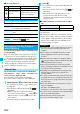
Function Menu of the TVlink List
Function menu
Operation/Explanation
Display detail
Displays the title, URL, outline, content type,
and validity period of the TV link.
No. of TVlink
Displays the number of the registered TV
links.
Delete this
YES
Delete
selected
Put a check mark for TV links to be
deleted
l
()
YES
Delete all
Enter your Terminal Security Code
YES
Recording a One Seg Program
while Watching
Record Video
2
Press
p
.
The confirmation tone sounds and recording ends, and
video is saved.
p
You can save the video also by pressing
Oo
() in
Video Mode.
p
When the file size is larger than 2 Gbytes, or the
storage location becomes full, the recording
automatically ends, and then the video recorded up to
that point is saved.
■
Estimate of the number of saved files and recordable
time
p
The savable number of video files decreases depending on
the data volume.
p
The maximum recordable time is an estimate for microSD
memory card of 2 Gbytes, and it is an estimate for 224 kbps
of video, 48 kbps of audio, and 52 kbps of data (including
captions). The recordable time varies depending on the
broadcasting station or program.
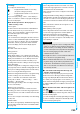
The maximum savable number
99
The maximum recordable time (total)
Approx. 740 minutes
Information
p
The playing time of the saved data might become shorter
than the recording time depending on the radio wave
conditions.
p
The recording is not suspended even when you switch
displays by Multitask or when a call comes in during
recording.
p
When the radio wave conditions are changed to indicate
“ ” during recording, recording continues but video and
audio during that period are not saved.
p
If you remove the battery pack or pull out the microSD
memory card during recording, the recorded data is saved
as the file that cannot be played back.
p
Depending on the broadcasting station or program, video
and audio might be saved a few seconds after your
recording operation.
p
You cannot record when the video storage area is full. Also,
you might not be able to record when the unused space in
the storage area is not enough. Delete unnecessary video
files and try again.
p
The file name and title name of the saved video are as follows
:
File name: “
PRGXXX
”
Title name: “YYYY/MM/DD hh:mm”
(X: numerals, Y: year, M: month, D: date, h: hour, m: minute)
p
You cannot set the recorded video for the Stand-by display,
ring tone or Call Receiving display.
p
Data broadcasting cannot be saved as video.
p
You cannot save video during AV output.