
User's Manual Part 2



251
One Seg
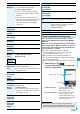
You can use the highlighted information in the data
broadcasting site to easily use the functions such as
making calls, or sending mail.
Select an item (link) and use the Phone To/AV Phone To
or Mail To function. (See page 163)
Information
p
Each time you press
-d
, Video Mode and Data
Broadcasting Mode are switched.
p
If you change a channel during Data Broadcasting Mode,
Video Mode returns.
p
You cannot display the data broadcasting in the horizontal
display.
p
You cannot enter pictographs when you enter characters on
data broadcasting or data broadcasting site.
p
The audio might be played back depending on the program
while the i-mode site is displayed. The One Seg video does
not appear, however.
p
When you display the data broadcasting or data
broadcasting site, a tone might be output depending on the
program. In that case, the playback of the One Seg audio
temporarily stops, and the tone of the data broadcasting is
preferentially output.
p
While the data broadcasting or data broadcasting site is
displayed, the confirmation display might appear asking
whether to send the contents you entered on the site or
whether to permit obtaining mobile phone information.
p
When you select “YES (confirm once)” from the
confirmation display for data broadcasting, the information
on data broadcasting might be automatically updated, and
you might be charged a packet communication fee. (See
page 257)
p
If you move in the place while watching a One Seg program,
where the airwave is unstable, the video and data
broadcasting may be automatically updated. In that case,
the top page of the data broadcasting appears, and the
information you have entered into the connected data
broadcasting is cleared. Ensure that you watch the data
broadcasting in a place where the airwave is stable.
Use Highlighted Information for
Various Operations
Information
p
Depending on the data broadcasting or data broadcasting
site, the function of composing i-mode mail or storing the
Phonebook entries might be automatically used. The
confirmation display asking whether to use each function
appears.
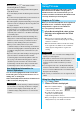
Some data broadcasting programs might contain TV
links which lead to the details of the programs or
related information site. From the TV links, you can
store the site address information in the TVlink List and
can easily call them up for browsing later.
When you select the item (link) that can be registered to
the TVlink List, the confirmation display appears
asking whether to register it to the TVlink List.
You can register up to 50 TV links.
1
In Data Broadcasting Mode, select an item
(link) that can be registered to the TVlink
List
YES
p
When you try to register the same URL or memo
information, the confirmation display appears asking
whether to overwrite it.
p
When the maximum number of TV links has already
been registered to the TVlink List, the confirmation
display appears asking whether to register after
deleting.
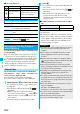
1
m
1Seg
TVlink
Select a TV link to be displayed.
p
When the confirmation display
appears asking whether to
connect to i-mode, select “YES”.
p
For a link whose validity period is
expired, the confirmation display
appears asking whether to delete it.
p
After you brought up a site using a TV link, the TV link is
displayed at the top of the TVlink List next time.
TVlink
Using TV Links
Register to TV Links
<>
Information
p
Validity period is set for some links. If the validity period is
expired, you cannot register it.
p
The number of characters that can be registered for a URL
is up to 60 half-pitch characters. When the number of
characters used for a URL exceeds that, you cannot
register it.
p
You can register a title of up to 20 full-pitch/40 half-pitch
characters. When the number of characters exceeds that,
the excess is deleted. When the title is not found, the URL is
displayed in the List display.
p
The contents you entered in the site is not registered to the
TVlink.
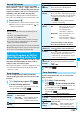
Bring Up a Registered TV Link
TVlink List