
User's Manual Part 2



250
One Seg
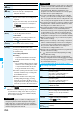
When an i-mode mail message comes in from the
person whose mail address is stored in the Phonebook,
you can open the detailed Received Mail display while
you are watching a One Seg program. (Multiple
Windows)
p
You cannot operate One Seg while the detailed Received
Mail display is shown. You cannot display the caption and
data broadcasting, either.
p
When you switch to Horizontal Open Style while the detailed
Received Mail display is shown, the Viewer display only is
displayed horizontally.
p
You can display SMS messages while watching a One Seg
program.
1
Receive i-mode mail while Viewer display is
shown
Reception Result display
Mail
Select an i-mode mail message to be
displayed
OK
p
Only the audio is played back from a One Seg program
without showing the Viewer display if you select “Mail
history” from the Function menu of the Inbox/Outbox/Draft
List or a detailed mail display by Multitask while watching a
One Seg program and show the detailed Sent Mail display of
a mail message sent to a person whose mail address is not
stored in the Phonebook.
p
When “ ” appears at the lower left of the display, switch
to Horizontal Open Style or do something to switch to the
Viewer display and then operate.
p
In B Mode of 2in1, you cannot compose/send i-mode mail
message. (See page 372)
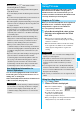
Receive i-mode Mail while Watching
Information
Detailed Received Mail display
Viewer display
Information
p
Even when you show the detailed Received Mail display by
Multitask while you are watching a One Seg program, the
display appears in multiple windows.
p
You cannot show the Viewer display and only the audio
from a One Seg program is played back when you display a
mail message from a person whose mail address is not
stored in the Phonebook.
p
When the display appears in multiple windows, or when only
audio from a One Seg program is played back with the
detailed Received Mail display shown, you cannot press
+No
to show other messages. However, you can press
+No
to
show other messages when you select “Mail history” from the
Function menu of the Inbox/Outbox/Draft List or the detailed
mail display by Multitask while watching a One Seg program.
By using the Program Guide i-
α
ppli, you can start One
Seg by selecting a program from the program guide,
book programs, and set timer recordings. (See page 219)
1
m
1Seg
Program guide
G
ガイド番組表リモコン
(G Guide Program List Remote-
controller) starts.
p
Press
l
( ) from the
display of the G
ガイド番組表リ
モコン
(G Guide Program List
Remote-controller) to watch the
program currently broadcast on
the selected channel.
p
For details, refer to “Mobile
Phone User’s Guide [i-mode]”.
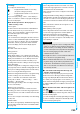
One Seg enables you to use the data broadcasting in
addition to the video and audio. Various information
including still/moving images is available from the site
linked with TV programs.
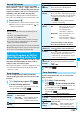
1
Viewer display (Video Mode)
d
Video Mode switches to Data
Broadcasting Mode and “ ”
appears.
p
Audio from a One Seg program
is played back even during Data
Broadcasting Mode.
p
You can display only data
broadcasting when you press
i
( ) from the Viewer
display and select “Data
broadcasting” of “Switch display”.
2
Select an item (link).
p
The confirmation display appears asking whether to
connect to i-mode depending on the data broadcasting
and data broadcasting site.
p
See page 153 for the operation while a site is displayed.
p
When “ ” appears at the lower left of the display, switch
to Horizontal Open Style or do something to switch to
Viewer display and then operate.
Program Guide i-
α
ppli
Using Program Guide i-
α
ppli
Information
<>
Information
p
You can set the Program Guide i-
α
ppli by “Program guide
key” of “Software setting”.
p
When you use the G
ガイド番組表リモコン
(G Guide
Program List Remote-controller) for the first time, you need
to do initial settings.
p
G
ガイド番組表リモコン
(G Guide Program List Remote-
controller) is a mail-linked i-
α
ppli program, so you cannot
use it in B Mode of 2in1.
Data Broadcasting
Using Data Broadcasting
<>