
User's Manual Part 1



110
Sound/Screen/Light Settings
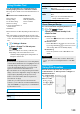
Once you activate Feel
*
Talk, a Feel
*
Talk image is
played back when a call ends. You can play it back also
from the Redial List, Dialed Call List, Received Call List,
or each detailed display.
You can make the Call/Charging indicator light/flicker
in synchronization with Feel
*
Talk when you close
your FOMA phone after ending a call.
p
You cannot use Feel
*
Talk for videophone calls and
PushTalk communications.
1
m
Settings
Feel settings
Feel
*
Talk
Do the following operations.
Feel*Talk
Item Operation/Explanation
Display after
talk
A Feel
*
Talk image is played back on the
Stand-by display when a call ends.
ON or OFF
p
When this function is set to “OFF”, a Feel
*
Talk icon does not appear on each record
display even while “Disp. /play in history” is
set to “ON”.
Disp. /play in
history
A Feel
*
Talk icon appears on each record
display.
ON or OFF
Illumination
At the first time of closing the FOMA phone
after a call ends, the Call/Charging indicator
lights/flickers in synchronization with Feel
*
Talk.
ON or OFF
p
The Call/Charging indicator lights/flickers
regardless of the setting of “Illum. when
folded”.
Information
p
A Feel
*
Talk image is played back even if you end a call
after switching between a videophone call and voice call.
Once you activate Feel
*
Mail, a Feel
*
Mail image is
played back on the Private window after you receive an
i-mode mail/SMS message. You can play it back also
from the Received Address List or detailed display.
1
m
Settings
Feel settings
Feel
*
Mail
Do the following operations.
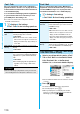
1
Select a record item which contains a Feel
*
Talk or Feel
*
Mail icon from Redial, Dialed
Calls, Received Calls, or the Received
Address List, or show each detailed display.
p
A Feel
*
Talk/Feel
*
Mail icon moves when it is selected
or shown.
2
Press
c
().
The Feel
*
Talk/Feel
*
Mail image is played back.
p
To end the playback, press
r
.
p
When you display the record display from another
function, you cannot play back the Feel
*
Talk/Feel
*
Mail image by pressing
c
().
Feel*Mail
Item Operation/Explanation
Disp. /play
new one
A Feel
*
Mail image is played back on the
Private window after you receive an i-mode
mail/SMS message.
ON or OFF
p
When this function is set to “OFF”, a Feel
*
Mail icon does not appear on each record
display, the Received Address List, the
Inbox List, and the detailed Received Mail
display even while “Disp. /play in history” is
set to “ON”.
Disp. /play in
history
A Feel
*
Mail icon appears on each record
display, the Received Address List, the Inbox
List, or the detailed Received Mail display.
ON or OFF
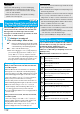
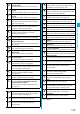
Play Back Feel*Talk/Feel*Mail Image
from Each Record Display
For the detailed Redial
display
For the Redial List