
User manual


Wi-Fi
®
card by palmOne 45
CHAPTER 4 Managing Wi-Fi® Network Connections
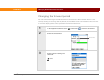
Changing the timeout period
You can control how long the handheld remains connected to a Wi-Fi network when it is not
actively sending or receiving data. By default, the handheld remains connected for three minutes
or until the display powers off as specified in the Power Preferences.
0
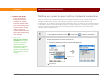
1 In the Applications/Home screen , select Prefs , and then select Wi-Fi.
2 Select the Timeout box.
3 Select a timeout setting and
select OK.
Done
Timeout box