
User manual




Wi-Fi
®
card by palmOne 37
CHAPTER 3 Using a VPN Account
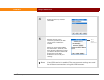
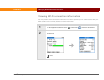
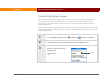
4 Select the account, and then
select Edit.
5 Edit the account name,
username, password, or VPN
server name or address if
needed.
When you are finished editing
the information, select OK, and
then select the VPN account that
you want to be active. Select OK.
Select Done in the VPN
Preferences to save all your
settings.
Your VPN service is enabled. The new account settings are used
for all future connections using this VPN account.
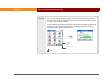
Tap to
display
instructions.
Done