
User manual



Wi-Fi
®
card by palmOne 27
CHAPTER 3 Using a VPN Account
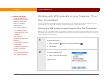
Using Auto-Connect on the Tungsten E2 handheld
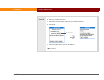
On the Tungsten E2 handheld, you can select Enable Auto-Connect in the VPN Preferences, as
shown below. When you make a Wi-Fi network connection, your VPN connection will be
automatically established using the currently selected VPN account.
0
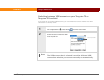
1 Go to Applications , select Prefs , and then select VPN.
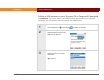
2 Select the VPN Account pick list, and then select your account.
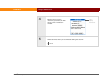
3 Select Enable Auto-Connect, and
then select Done.
Done