
User manual






Wi-Fi
®
card by palmOne 22
CHAPTER 3 Using a VPN Account
Cont’d.
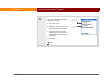
e. Enter the VPN server name or IP address.
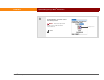
4 [ & ] OPTIONAL Change VPN options if required by your VPN administrator.
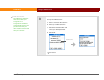
a. Select Details.
b. Check or uncheck the following options:
Encryption: Required When checked, all VPN data is encrypted. Uncheck
the box if your VPN server does not encrypt data.
Send All: To VPN When checked, all TCP/IP data goes to the private
network. Uncheck the box if you want only DNS requests and TCP/IP data
specifically destined for the private network to be sent to the private
network.
Continued