
User's Manual Part 1




Section 4
Adjusting the Display
7
Adjusting the Display
To adjust the color and brightness of the display:
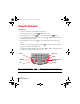
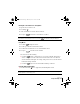
1. Press Option and then press Q .
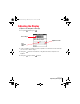
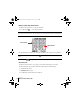
2. Use the scroll buttons, or drag the top slider, to adjust the color saturation. Move the slider until
you can clearly see the three shapes.
3. Hold Option and use the scroll buttons, or drag the bottom slider, to adjust the screen
brightness.
4. Hold Option and press Return to finish.
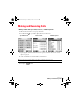
Three Shapes
Color
Saturation
Slider
Brightness Slider
Sprint Start.book Page 7 Monday, June 17, 2002 8:57 AM