
User's Manual

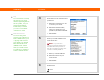
Table Of Contents
- Getting Started
- Table of Contents
- About This Guide
- Your Handheld
- Moving Info Between Your Handheld and Your Computer
- Your Photo and Video Organizer
- Your MP3 Player
- Your Microsoft Office File Manager
- Your Personal Information Organizer
- Your Memos and Notes
- Your Wireless Connections
- What can I do with built-in wireless technology?
- When would I use Wi-Fi or Bluetooth technology?
- Setting up a Wi-Fi network connection
- Accessing email and the web using Wi-Fi® functionality
- Entering basic Bluetooth® settings
- Setting up a Bluetooth® phone connection
- Accessing email and the web with Bluetooth® wireless technology
- Setting up a connection for Bluetooth synchronization
- Beyond the basics
- Your Email
- Your Text Messaging Tool
- Your Web Browser
- Your Expandable Storage
- Your Personal Settings
- Common Questions
- Product Regulatory Information
- Index

T|X Handheld 107
CHAPTER 9 Your Email
4 Enter the basic account
information:
a. Enter a descriptive name for
the account, or use the one
shown.
b. Enter your account username
and password. Your email
address will be entered
automatically based on the
username you enter.
c. Click Next.
5 Enter the names of the incoming and outgoing mail servers for this account,
whether the account requires Extended Simple Mail Transfer Protocol (ESMTP),
and, if so, the username and password required for ESMTP. Check with your
email service provider for this information.
If you are using a common email provider, the mail server
information is already filled in.
Continued
Did You Know?
If you are transferring
existing account settings,
your username and email
address are already
entered based on the
account settings that the
VersaMail application
finds on your computer.
NOTE