
User's Manual





LifeDrive from palmOne 480
CHAPTER 21 Dialing Phone Numbers from Your Device
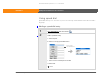
Editing a speed-dial entry
0
1 Go to Applications and select Dialer .
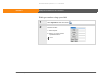
2 Select an entry to edit:
a. Select Speed.
b. Select Edit.
c. Select an entry.
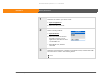
3 Edit the entry.
4 Select OK, and then select Done.
Done
Tip
You can go directly to the
Edit Entry dialog box by
tapping and holding a
speed-dial button.
Select Edit
SECOND DRAFT palmOne, Inc. Confidential