
User's Manual






Chapter 18 Setting Preferences for Your Handheld
330
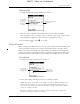
3. Press Function + Enter , or tap OK.
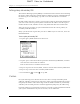
Connecting to your service
After you set your Connection and Network Preferences, establishing a connection
to your service provider or your company’s network (dial-in server) is easy.
To establish a connection:
■ Tap Connect to dial the current service and display the Service Connection
Progress messages.
To see expanded Service Connection Progress messages, press the lower half of
the Scroll button.
To close a connection:
■ Tap Disconnect to terminate the connection between your handheld and your
service.
Creating additional service templates
You can create additional service templates from scratch, or you can duplicate
existing templates and editing information. After you create a new or duplicate
template, you can add and edit settings.
To add a new service template:
■ Press Command Stroke + N.
Alternately, press Function + Menu , and then select New on the
Service Menu.
An Untitled service template is added to the Service pick list.
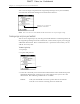
To duplicate an existing service template:
1. Tap the Service pick list.
2. Select the predefined service template you want to duplicate.
3. Press Command Stroke + L.
Alternately, press Function + Menu , and then select Duplicate on the
Service Menu.
A copy of the service template is added to the Service pick list.
Adding detailed information to a service template
If you are using one of the predefined service templates, you probably need to
enter only your username and telephone number. If you are creating a new service
template, you may need to provide additional information to your service
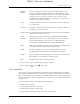
provider or dial-in server. You use the Details dialog box to add more information
to a selected service template.
DRAFT Palm, Inc. Confidential