
User's Manual

12
www.i-display.com
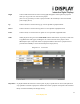
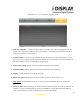
Stop In playback mode, pressing this function once will stop the current content playing and will make
the screen return to the menu mode. In menu mode, it is used to go back to main menu.
Slide show In playback mode, it is used to change between “repeat one” (repeats the chosen file in endless
loop) and “repeat all” (repeats the entire playlist in endless loop).
(This function is only operable on content copied from a USB or SD Card or a playlist viewed
from a SD card and
not for content downloaded from I Display Server).
Rotate In playback mode, it is used to rotate JPG pictures. It cannot be used for movies being played.
(This function is only operable on content copied from a USB or SD Card or a playlist viewed
from a SD card and
not for content downloaded from I Display Server).
Zoom In playback mode, is used to zoom on JPG pictures. It cannot be used for movies played.
(This function is only operable on content copied from a USB or SD Card or a playlist viewed
from a SD card and
not for content downloaded from I Display Server).
Mode is currently an inactive function.
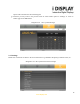
2.2 Screen Status Indicators
WIFI Signal: Indicates unit is connected to WIFI network.
Battery Icon: Indicates the unit is working on battery power and shows the amount of power left in
battery.
Empty Battery Icon: Indicates the battery has 30 minutes of power remaining to keep the unit activated.
2.3 Menu Features
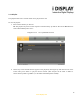
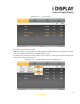
The Menu includes 4 main features: Playlist / WIFI / Calendar / Settings.
Each can be accessed and activated by either the remote control or buttons on the side of the unit.