
Use Instructions

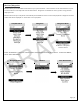

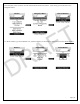


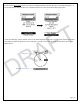
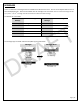

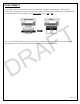
Table Of Contents

Page | 30
ATAK CONNECT
The Lynq PRO™ ATAK has the option to link up to an ATAK device using the appropriate plug-in. With the plug-in
installed onto the ATAK device, you can now attach the Lynq PRO™ ATAK using either a USB cable or through Bluetooth.
From the Main Menu on the Lynq PRO™, select ATAK Connect and then BLE or USB.
ATAK Connect
Menu
Only one (1) Lynq PRO™ ATAK needs to be connected to the ATAK device per group. This device acts as the gateway
node and data from all other Lynq devices on the same network will be pushed into ATAK.
DRAFT