
Use Instructions
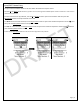
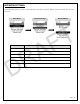

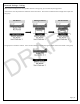

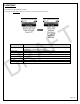
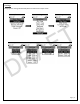

Table Of Contents

Page | 20
From within the map view, double click on the Up or Down arrow on the device and the Select menu pops up. This
window provides the distance the group member(s) and marker(s) are from your location. Selecting the member or
marker will add them to the Team Member Map View, allowing you to see up-to-date distances as you move around.
Double Click Up or Down
Arrow on Device
List of team members and
markers, select member or
marker
Member now displayed on
bottom of screen
DRAFT