
Use Instructions
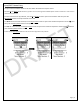
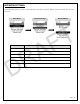

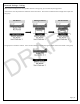

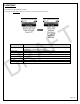
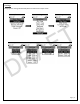

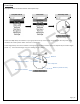
Table Of Contents

Page | 12
NETWORK SETTINGS
This section sets up the Lynq PRO™ to pair with other Lynq PRO™ in a group. Before you pair the device, you must set
the name.
Main Menu
Network Settings
Network Menu
Menu Header
Description
Pair Device
This initiates the device pairing session
Delete Session
This deletes the previous paired session
Set Name
This sets the name of the device. 6 characters is the limit for the name.
Num Devices
This sets the number of devices to be paired in a group. Default is 2
LPD Level
Low Probability of Detection (LPD)
Modem
Sets how data is transmitted
DRAFT