
Use Instructions

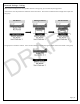

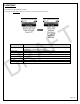
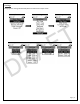

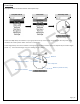
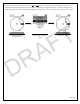
Table Of Contents

Page | 11
Lynq PRO™ Name Entry
The procedure listed below works for all areas within the device that require names.
Use the Up and Down arrows on the Lynq PRO™ to scroll through the available alpha-numeric characters. Each name is
limited to 6 characters.
To enter more than one (1) character, use the Up or Down arrows to cycle to the character and then press the
Menu/Select button to accept and move to the next.
To delete the last character entered, use the Up or Down arrows to cycle to the character shaped as an arrow ( ) and
then press the Menu/Select button to accept the deletion.
To save the name entered, use the Up or Down arrows to cycle to the character shaped as a check mark ( ) and then
press the Menu/Select button to save.
Double tap the Menu/Select button to exit this screen and go back to the previous.
Edit Name
Delete Character
Save Name
DRAFT