
Home Theater System User Manual





ICS-2100 Ion Chromatography System
210 Doc. 065291-01 3/09
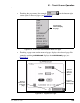
• Touching returns you to the HOME page.
• Touching opens a list of options (see Figure B-5).
B.2 Using the Touch Screen with Chromeleon
When the ICS-2100 is connected to a Chromeleon Control
panel, the status field at the bottom center of the
HOME page
displays
Remote Mode. In this mode, most of the controls on the touch screen
pages are disabled. This prevents touch screen commands from conflicting with
Chromeleon commands.
In general, when the ICS-2100 is connected to Chromeleon, you can:
• View all ICS-2100 operational status information (pressure, flow rate,
conductivity readings, etc.)
• Go to any of the touch screen pages
• View a plot of the conductivity data from the PLOT page and adjust the plot
display using the controls on the page. See Section B.5
for details.
To restore touch screen (local) control, clear the Connected check box on the
Chromeleon Control panel.
Figure B-5. Suppressor Page: Selecting an Option
Touch an
option to
select it.
Note: To cancel
and retain the
current selection
,
touch outside of
the list.