
Home Theater System User Manual





ICS-2100 Ion Chromatography System
190 Doc. 065291-01 3/09
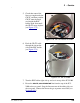
9. Feed the following liquid lines from the bottom of the holder through
the tubing chase to the ICS-2100 front component panel.
• TO SRS/AES REGEN OUT
• TO INJ VALVE IN - P/ELUENT OUT
• TO PUMP/DAMPER
10. Connect the lines to their respective locations:
• Connect the line labeled TO SRS/AES REGEN OUT to the REGEN
OUT
port on the suppressor.
• Connect the line labeled TO INJ VALVE IN - P/ELUENT OUT to
port
P (2) on the injection valve.
• Connect the line labeled TO PUMP/DAMPER to the pulse damper.
11. Go on to Section 5.23.5
.
5.23.3 Removing the EPM and Reinstalling it in the New EGC
Holder
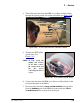
1. Turn the EGC holder upside down to view the connections on the
bottom of the holder.
2. Disconnect the following lines that connect from the EGC degas
assembly inside the EGC holder to the EPM:
• Disconnect the line labeled TO CR-TC ELUENT IN (red label) from
the coupler that connects it to the line labeled
TO CR-TC/EPM
ELUENT IN
(red label).
• Disconnect the line labeled TO CR-TC ELUENT OUT (yellow label)
from the coupler that connects it to the line labeled
TO CR-
TC/EPM ELUENT OUT
(yellow label).
• Disconnect the line labeled TO CR-TC REGEN OUT (blue label)
from the coupler that connects it to the line labeled
TO CR-
TC/EPM REGEN OUT
(blue label).
3. Remove the old EGC holder.