
User's Manual




74 • Software - HT24W / HT28 Smart Onity HT24W / HT28 Smart
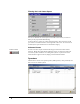
• Auto Log-Off – This option lets you choose whether the system will
log users out after a certain period of not being used. If the Enable
Auto Log-Off check box is selected, the system will lock the screen
after the number of minutes entered in the box below.
• HTCOM Communication Port – This is the serial port that the system
uses to control any encoders, PPs or other online peripherals. Encoding
cards is impossible if this parameter is set wrong.
• PMS Communications Port – This setting defines how the PMS is
connected to the Onity system. The port type setting defines if the
connection is through an RS232 serial connection or through TCP/IP
over an Ethernet connection. If the connection is serial, the port and
baud rate must be set to match the settings of the PMS system. If the
setting is Ethernet, the PMS system will need to know the port setting
in order to communicate properly.
• XPP Communication Port – This is the serial port that the system uses
to communicate with the XPP. In addition to selecting the port, also
select the XPP Baud Rate. Typically, this is set to 115200.