
Extra Information





- 68 -
Changing Network Settings From the Web Page
5
5. Network Settings
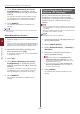
Using SNMPv3
When you use an SNMP manager that supports
SNMPv3, management of the printer can
encrypted by SNMP.
1 Access the printer’s web page and log in
as the administrator.
2 Select [Admin Setup].
3 Select [Network Setup] > [SNMP] >
[Setting].
4 Follow the on-screen instructions to
specify detailed settings.
5 Click [Submit].
The network card reboots to enable the new
settings.
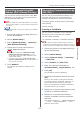
Using IPv6
Your printer supports IPv6. The printer obtains
the IPv6 address automatically. You cannot set
the IPv6 address manually.
The printer supports the following protocols.
● For Printing:
- LPR
- IPP
- RAW (Port9100)
- FTP
● For Conguration:
- HTTP
- SNMPv1/v3
- Telnet
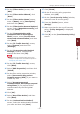
Operation is conrmed under specic conditions
for the following applications.
Protocol
OS Application
Condition
LPD
● Windows LPR
(Command
Prompt)
*1, 2, 3
Port9100
● Windows LPRng *1, 2, 3
FTP
● Windows FTP
(Command
Prompt)
*1, 2, 3
● OS X FTP (Terminal) *1, 2, 3
HTTP
● Windows Internet
Explorer
*1, 2, 3
● OS X Safari *1, 2, 3,
4
Telnet
● Windows Telnet
(Command
Prompt)
*1, 2, 3
● OS X Telnet
(Terminal)
*1, 2, 3
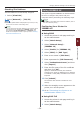
*1) To specify a host name, edit the host’s le or
access via the DNS server.
*2) With Telnet, when only IPv6 is enabled you
cannot specify a host name by the DNS
server.
*3) You cannot specify a host name when you
use a link local address to access.
*4) Enter an IPv6 address enclosed with square
brackets.